Mobile House မန္ဘာ မ်ား ေက်းဇူး ၿပဳ ၿပီး www.mobilehouse.co.nr မွ တိုက္ ရိုက္ ၀င္ေပး ပါ ရန္ ႏွင္႔ အသစ္ တင္ သမွ် ကို သိရွိ ေစရန္
https://www.facebook.com/MobileHouseServiceCentre
မွာ Like လုပ္ ေပး ၾက ပါ ....

Wednesday, May 30, 2012

iOS 5 Myanmar Font + Keyboard For All..

iOS 5 နဲ႔ အထက္ iDevces မ်ားျဖစ္ၾကေသာ iPhone, iPod Touch, iPad 1,2 တို႔အတြက္ လုံးဝ အလုပ္လုပ္ေသာ ေဇာ္ဂ်ီ ျမန္မာလက္ကြက္ အသစ္ ရရွိပါေၾကာင္း သတင္းေကာင္း ပါးအပ္ပါတယ္။

ယခု iOS 5 for Zawgyi Keyboard ကို ေရးသားေပးသူကေတာ့ Developer "ကိုမိုးစက္" ျဖစ္ပါတယ္။ မည္သူပဲ ျဖစ္ျဖစ္ ျမန္မာလူမ်ိဳးမ်ား အတြက္ အစဥ္ႀကိဳးပမ္း အားထုတ္ေနၾကေသာ ျမန္မာ Developer အားလုံးကို အျမဲေလးစား ႀကိဳဆိုလၽွက္ပါ၊ တစ္လက္စထဲ အေနနဲ႔ မိတ္ေဆြမ်ားအားလုံးကို တိုက္တြန္းလိုတာက ျမန္မာ App မ်ားကို တတ္နိုင္ရင္ cracked version မသုံးပဲ ဝယ္ယူ သုံးစြဲျခင္းျဖင့္ ျမန္မာ Developer မ်ားရဲ့  ႀကိဳးစားအားထုတ္မွုကို ဂုဏ္ျပဳၾကပါလို ့ ကၽြန္ေတာ္ ေမတၱာရပ္ခံပါရေစ...

Installation Guide

1) Go to Cydia -> Sources -> Edit -> Add
2) http://cydia.macforus.com ဟု ရိုက္သြင္းပါ။
(Source) သြင္းထားၿပီးသူမ်ား Cydia ကို Update လုပ္ပါ။


ျမန္မာေဖာင့္ သြင္းရန္...

(Font Install လုပ္ၿပီးသူမ်ား ဤအဆင့္ကို ေက်ာ္လိုက္ပါ)

1) Cydia -> Sources -> Mac For Us Repo သို႔သြားပါ။
2) Zawgyi iOS 4.3 Font ကို Install လုပ္ပါ။

ျမန္မာ Keyboard သြင္းရန္...

1) Cydia -> Sources -> Mac For Us Repo သို႔သြားပါ။
2) MMKeyboard for iOS5 ကို Install လုပ္ပါ။
3) Restart Springboard


Keyboard Setup..

1) Go to Settings -> General -> Keyboard -> International Keyboards
2) Add New Keyboard -> Czech ကိုေရြးပါ။


အခုဆိုရင္ ျမန္မာစာမ်ားကို စိတ္တိုင္းက် ေပ်ာ္ရႊင္စြာ ရိုက္နိုင္ၾကပါၿပီ။
ဆက္ဖတ္ရန္>>>

iDevice Gamer မ်ားအတြက္ iap cracker


iap cracker ေလးကိုု သိတဲ့သူလည္း သိျပီးသားေနမွာပါ။ iPhone, iPad, iPod Touch ေတြမွာ Game ကစားရတာ သေဘာက်သူမ်ား iap cracker ေလးကိုု မိမိရဲ ့ Device မွာ install လုုပ္ထားသင့္ပါတယ္။ iap cracker ေလးရဲ ့သေဘာက တစ္ခ်ိုဳ ့ Game ေတြက iTunes မွာ Free ေပးထားေသာ္လည္း Gold, Cash တိုု ့ ကိုုဝယ္ျပီးမွကစားလိုု ့ေကာင္းပါတယ္။
ဥပမာေျပာရရင္ Contract Killer, Contract Killer Zombie, Blood & Glory တိုု ့လိုု Game ေတြမွာ Gold cash Rubies coins တိုု ့ကိုုဝယ္ျပီးမွ ေသနတ္၊ ဓား တိုု ့ကိုု update လုုပ္ႏိုင္မွ အနုုိင္ရတတ္ပါတယ္... ဘာလိုု ့ဝယ္မွာလဲ ပိုုက္ဆံကုုန္တာေပါ့။ အကယ္၍ အကုန္ခံႏိုင္လို ့ ဝယ္ခ်င္ရင္ေတာင္မွ Visa card ,Master card ရွိမွျဖစ္မွာေလ။ ကြ်န္ေတာ့္မွာေတာ့ ဘာ Card မွမရွိဘူး ဝယ္ခ်င္ရင္ ေတာ့ iap cracker Deb file ေလးနဲ ့ Free ပဲဝယ္မွာေပါ့။
iap cracker ကိုု install လုုပ္ဖိုု ့ အတြက္ Cydia ရဲ ့ Sources မွာ http://repo.insanelyi.com ကိုု Add အရင္လုုပ္ပါ၊ ၿပီးမွ iap cracker ေလး ကိုုinstall လုုပ္ပါ။ ေအာက္ေဖာ္ျပပါ list မ်ားကေတာ့ iap cracker နဲ ့ Free ဝယ္လိုု ့ရတဲ့ game စာရင္းတြပါ....


တစ္ျခား Game တစ္ခ်ိဳ ့လဲရနုုိင္ပါတယ္။ ရတဲ့ Game လဲရွိမယ္ မရတဲ့ Game ေတြလဲပဲ ရွိနုုိင္ပါတယ္။
ေနာက္တစ္ခုုလဲ ရွိပါေသးတယ္ အဲဒါကေတာ့ iap cracker နဲ ့ ဝယ္ျပီး deb file လုုပ္ထားတဲ့ cydia repo တစ္ခုုပါ။ http://idwaneo.org/repo ဒီ Repo ေလးနဲ ့ deb file အသံုုး ျပဳပံုုကို ဥပမာျပရရင္... Need for speed Shift 2 unleashed Game က မိမိ Devices မွာရွိေနမယ္ဆိုပါေတာ့၊ အရင္နည္းနည္းကစားလိုုက္ပါ၊ ဒါဆိုရင္ Game နဲ ့ ပက္သက္တဲ့ Documents ေတြက်လာပါမယ္။ ၿပီးေတာ့မွGame ကိုု လံုဝ ပိတ္လိုက္ပါ၊ Multitask ထဲမွာပါ ပိတ္ပစ္လိုက္ပါ။ ၿပီးေတာ့မွ အထက္ပါ Repo ထဲက shift2 money ကိုု crack ထားတဲ့ deb file ကိုုရွာျပီး install လုုပ္ပါ။ ၿပီးမွ Game ကိုုုျပန္ကစားၾကည့္လိုက္ပါ Game မွာ money 100.. ရေနတာကို ေတြ ့ရပါလိမ့္မယ္။

ကြ်န္ေတာ္သိထားေသာ နည္းလမ္း နည္းနည္းကိုု ေရႊညီအကိုုေတြကိုုေပးခ်င္လိုု ့ပါ။
သတိျပဳရန္ ။ ။ iap cracker နဲ ့crack ဖိုု ့က connection ေကာင္းဖို ့ အနည္းငယ္ေတာ့လိုုအပ္ပါတယ္.....။ 

ေရးသားသူ - ကိုေလး (noicenice)  
From www.moetagyar.info
ဆက္ဖတ္ရန္>>>

How to Jailbreak Your iPad Using Absinthe 2.0 (Windows) [5.1.1]

These are instructions on how to perform an untethered jailbreak of your iPad on iOS 5.1.1 using Absinthe for Windows.

Warning***: Before you continue make sure to do a backup of your device in iTunes as you may lose your Camera Roll during this process.


Step One
Download the latest version of Absinthe from here.

Step Two
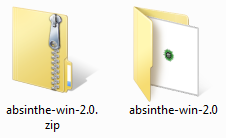
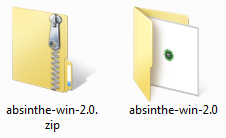
Extract the downloaded archive.


Step Three
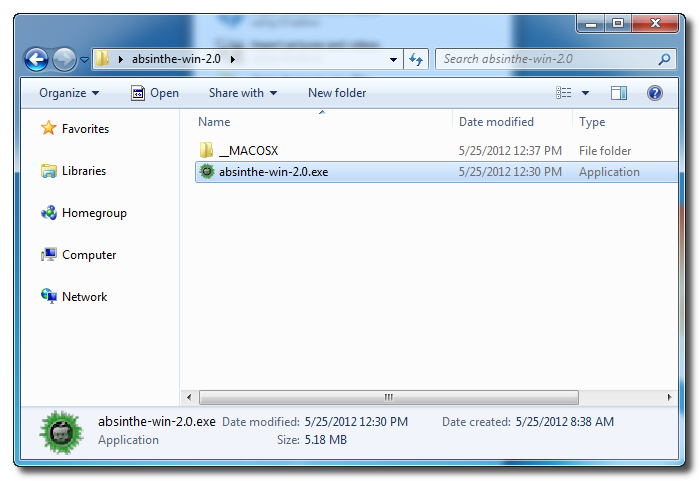
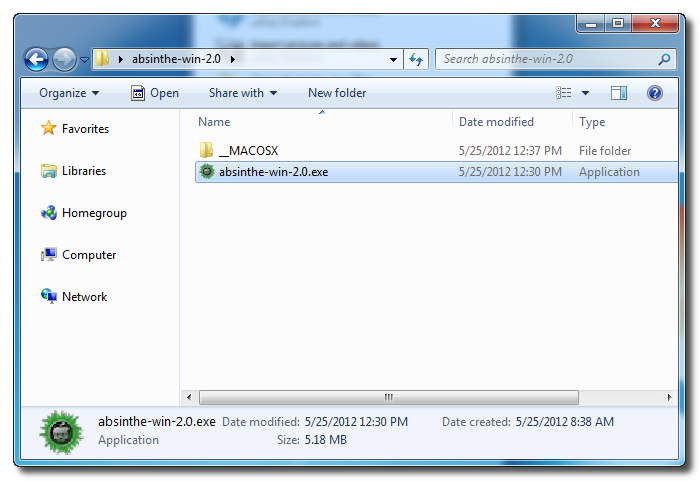
Double click the absinthe-win-2.0.exe file from the folder that was just extracted.


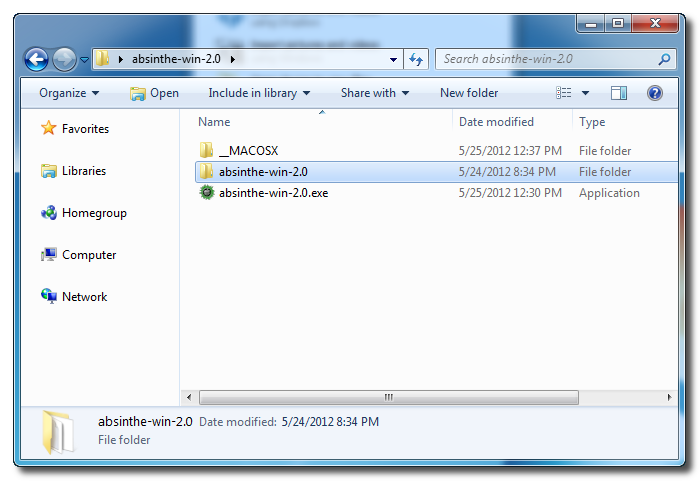
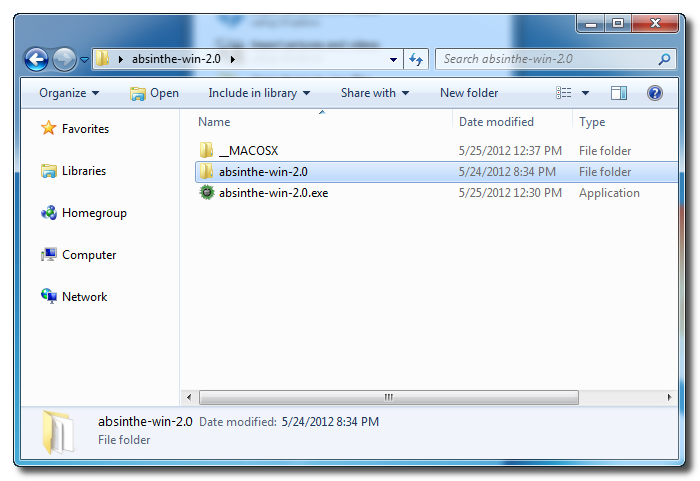
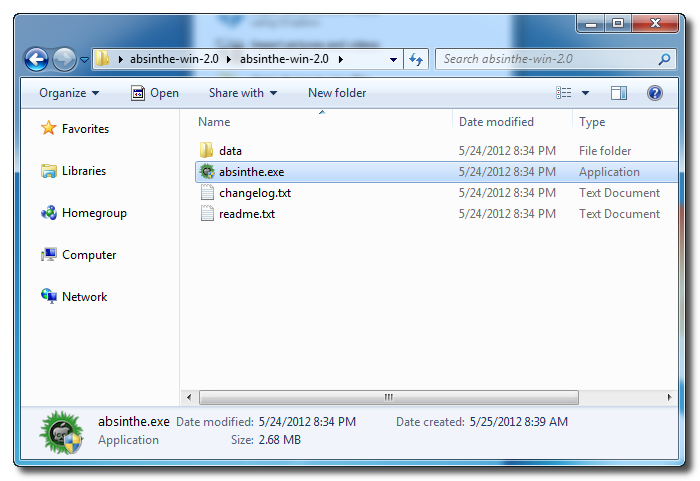
This will create a new folder called absinthe-win-2.0.


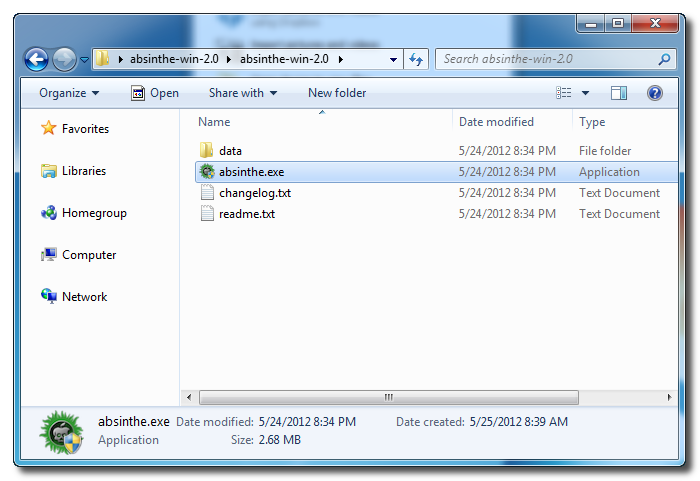
Open the newly created folder and launch absinthe.exe.


Step Three
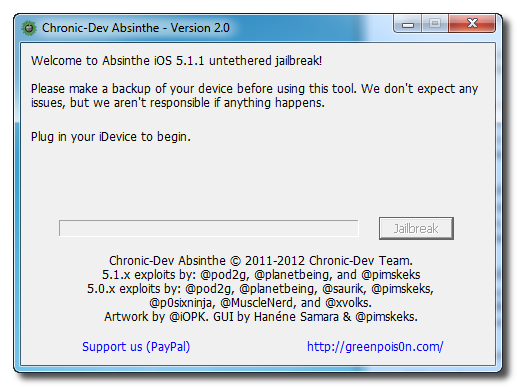
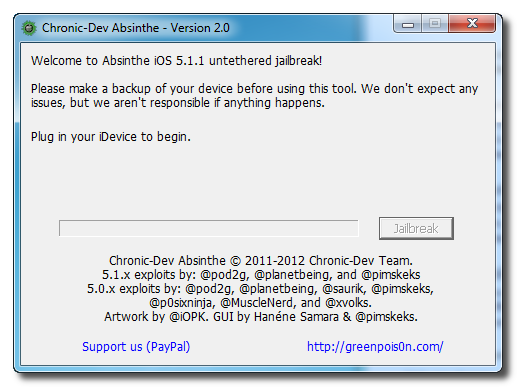
As prompted, connect your iPad to the computer via USB. Make sure to remove any passcodes or VPN settings you've previously set.


Step Four
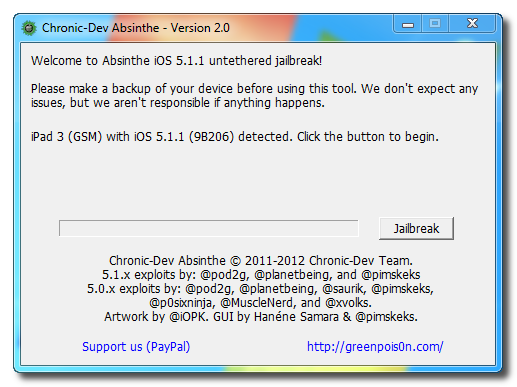
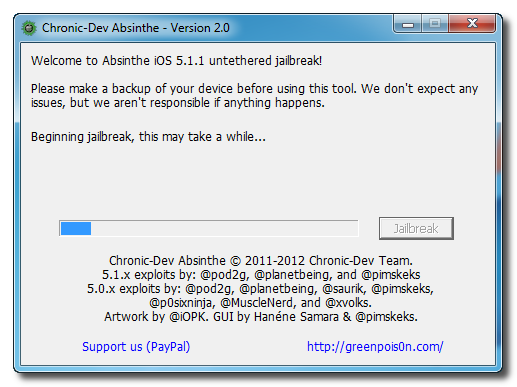
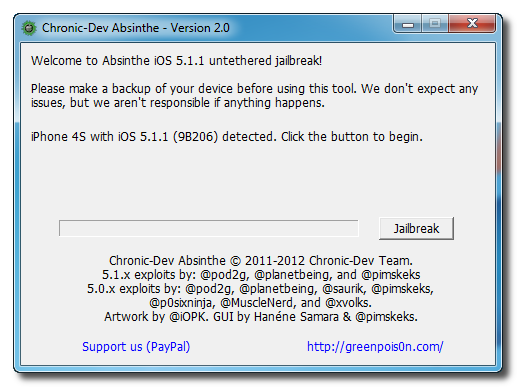
Click the Jailbreak button to begin


Step Five
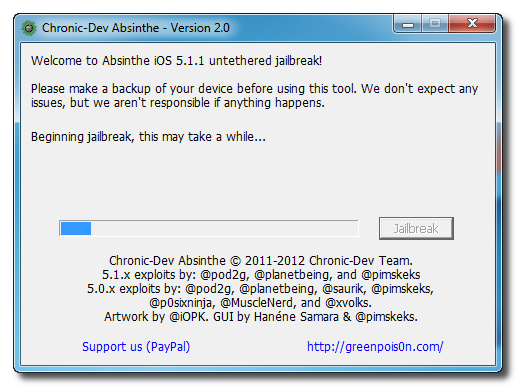
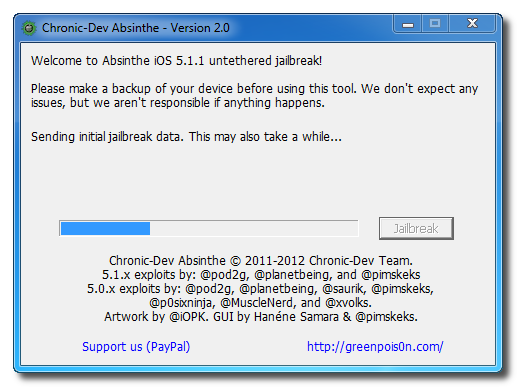
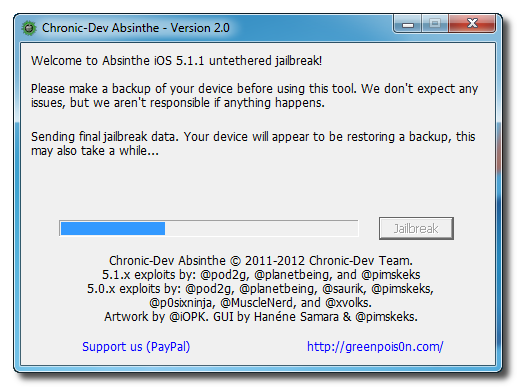
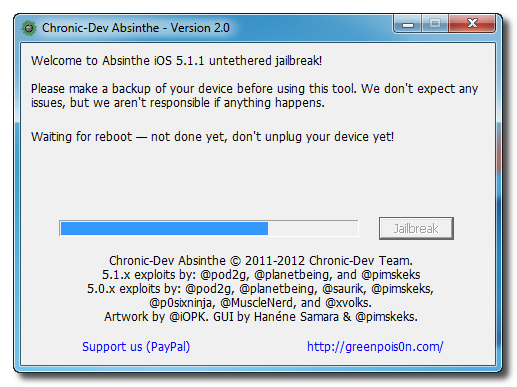
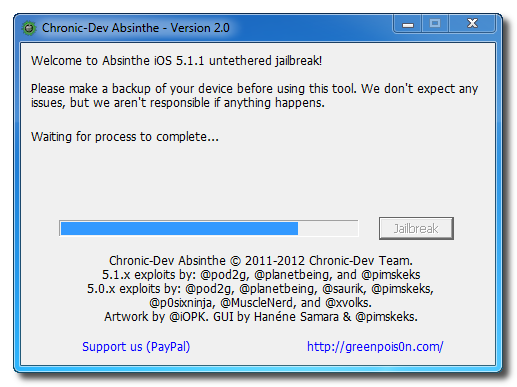
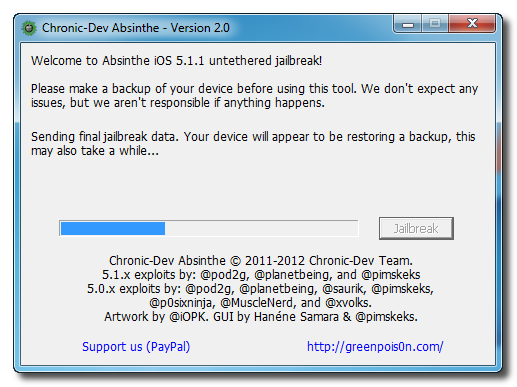
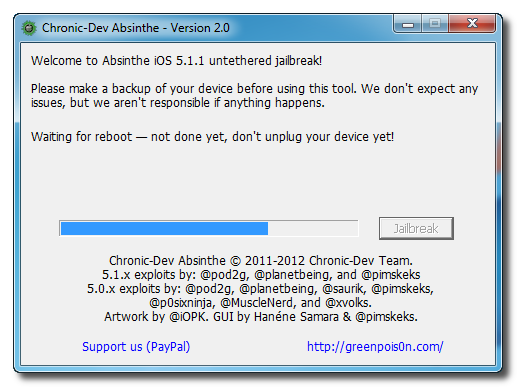
The application will take you through several steps to jailbreak including: beginning jailbreak, sending initial jailbreak data, sending final jailbreak data, waiting for reboot, and waiting for process to complete.


Step Six
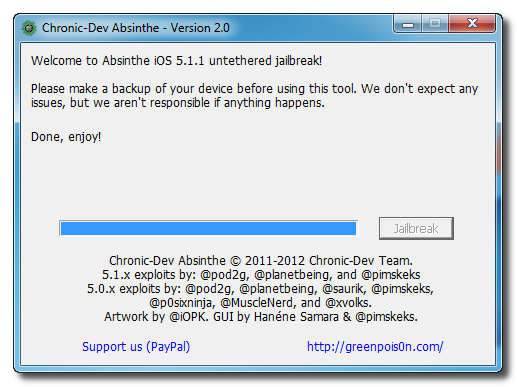
You will be informed that the jailbreak is 'Done'.


Step Seven
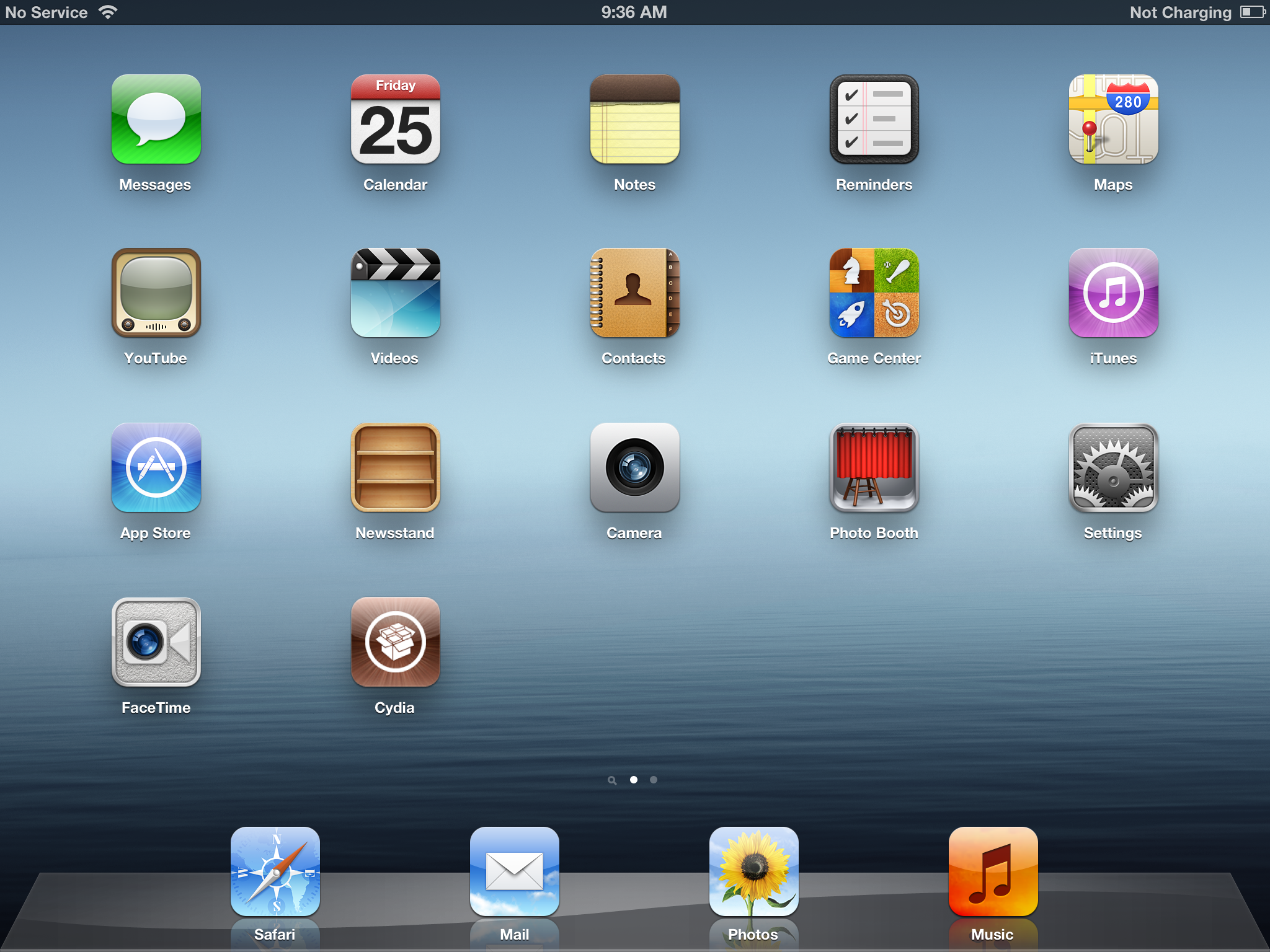
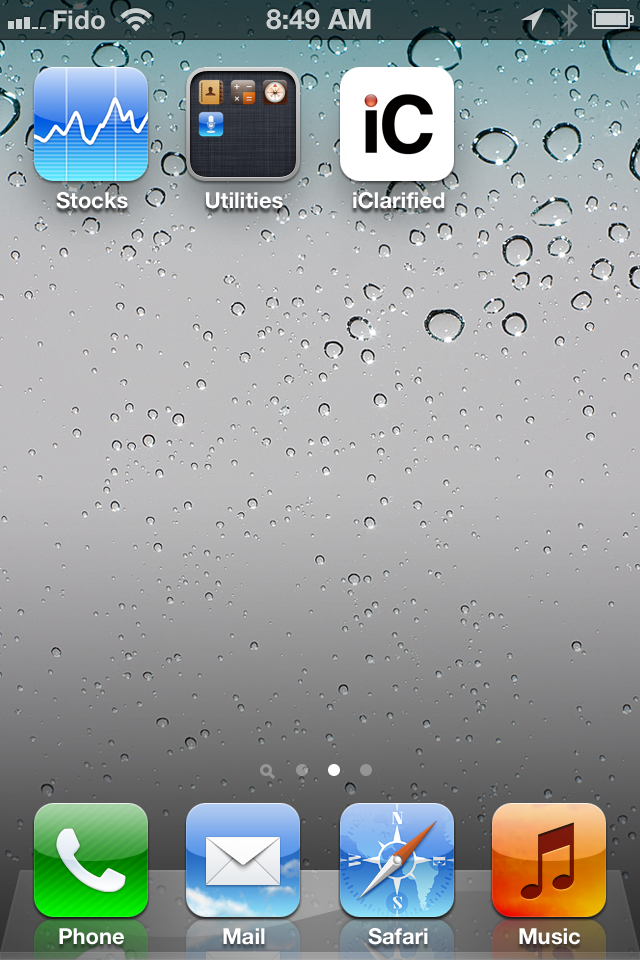
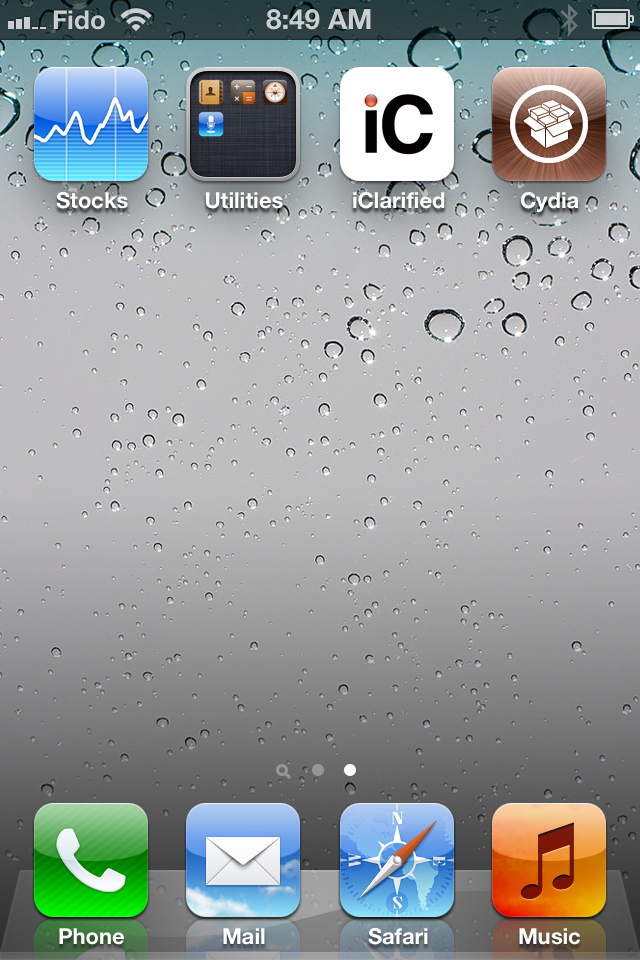
In a few moments you will notice Cydia appear on your Springboard!


***If you have any problems please retry the procedure on a device cleanly restored to iOS 5.1.1 (Remember to backup before restoring)***
ဆက္ဖတ္ရန္>>>

How to Jailbreak Your iPhone Using Absinthe 2.0 (Windows) [5.1.1]


These are instructions on how to perform an untethered jailbreak of your iPhone on iOS 5.1.1 using Absinthe for Windows.

Warning***: Before you continue make sure to do a backup of your device in iTunes as you may lose your Camera Roll during this process.


Step One
Download the latest version of Absinthe from here.

Step Two
Extract the downloaded archive.


Step Three
Double click the absinthe-win-2.0.exe file from the folder that was just extracted.


This will create a new folder called absinthe-win-2.0.


Open the newly created folder and launch absinthe.exe.


Step Three
As prompted, connect your iPhone to the computer via USB. Make sure to remove any passcodes or VPN settings you've previously set.


Step Four
Click the Jailbreak button to begin


Step Five
The application will take you through several steps to jailbreak including: beginning jailbreak, sending initial jailbreak data, sending final jailbreak data, waiting for reboot, and waiting for process to complete.


Step Six
You will be informed that the jailbreak is 'Done'.


Step Seven
In a few moments you will notice Cydia appear on your Springboard!


***If you have any problems please retry the procedure on a device cleanly restored to iOS 5.1.1 (Remember to backup before restoring)***

ဆက္ဖတ္ရန္>>>

Tuesday, May 29, 2012

Nokia ဖုန္းနဲ႕ ကြန္ျပဴတာ နဲ႕ ခ်ိတ္ၿပီး အင္တာနက္သံုးမယ္

 Nokia ဖုန္းနဲ႕ ကြန္ျပဴတာ နဲ႕ ခ်ိတ္ၿပီး အင္တာနက္သံုးမယ္

nokia-ovi-suite.en free download

  • Tested virus free - Safe software 
License: Free
Language:English 
OS:WinXP/Vista/7
 
 
ေဒါင္းထားတဲ႕ ဖိုင္ကို ထပ္ဖြင္႔လိုက္ ပါ။
softonic ဆိုၿပီးတက္လာလိမ္႔မယ္ ။
ဖိုင္တက္လာရင္ Accept လိုက္ရင္ေအာ္တိုေဒါင္း လိမ္႔မယ္ ။
ၿပီးရင္ ရလာတဲ႕ ဖိုင္ကိုမွ ဆက္သြင္းလိုက္ပါ ။အဲ႔ ဒါ ဆို OVI suit  သြင္းၿပီးပါၿပီ ။
Ovi suit ဖြင္႔ လိုက္ ပါ ။
ၿပီးရင္ဖုန္းကို ၾကိဳး နဲ႕ ကြန္ၿပဴတာနဲ႕ခ်ိတ္လိုက္ပါ ။
ၿပီးရင္ connet to internet ကို ႏိုပ္ လိုက္ပါ။သူေပးထားတဲ႕ ဆက္သြယ္ေရး ဟာေတြ မေရႊး နဲ႕ ။set menual ေရႊး ၿပီး name မွာ mptnet . apn မွာ လဲ mptnet . ထည္႔ လိုက္ ပါ ။
ၿပီးရင္ ok နိုပ္ လိုက္ ပါ ။ဖုန္းမွာ လိုင္းေအာက္ မွာ E ပံုေလး ေပၚလာပါမယ္ ။ ကြန္ၿပဴ တာ မွာ စတင္သံုးလို႕ ရပါၿပီ  ။

www.mobilehouse.co.nr
ဆက္ဖတ္ရန္>>>

Sunday, May 27, 2012

How To Root Galaxy S III


Most of you looking to get your hands on Samsung’s latest Galaxy S III smartphone will still be waiting, but courtesy of the intuitive folks over at XDA, it’s already been rooted. As was the case with the Galaxy S, S II and the larger-than-life Galaxy Note, it doesn’t have a locked bootloader, so the task of acquiring root was automatically that tidbit easier.
Samsung could have made it difficult for the hackers and devs to get into the Android innards, but have done the community a real service by shipping the device with an unlocked bootloader. Many OEMs love to play hard-ball, but the Korean company doesn’t seem altogether bothered with what users do with a device once it’s been paid for – as it should be.
GALAXY-S-III-Product-Image-3_B
While, as stated, we don’t reckon many of you will be in possession of a Galaxy S III just yet, it’s good to have the information out there so you can get a rough idea of the steps involved when you finally do get your paws on the Samsung’s first quad-core effort.
As usual, follow at your own risk. This tutorial is posted for information purposes only.
Step 1: Download the insecure kernel (based on the XX NEE ALE8 firmware) from Chainfire.
Step 2: Download ODIN 1.85, which we’ll be using to flash the insecure kernel.
Step 3: Once you’ve download both, extract using the archiving tool of your choice. I use WinRar, but if you’ve done this before, you’ll probably have your utility of choice already installed.
Step 4: After extracting the kernel, you’ll be left with a .tar file.
Step 5: Place your device into Download Mode by pressing and holding the Volume Down + Power / Lock buttons simultaneously, and pressing Volume Up when prompted.
Step 6: Run ODIN, connect your device to your PC via USB, and within ODIN, click on PDA and select the .tar file you extracted from the insecure kernel.
Step 7: Click Start and the flashing process will begin.
Step 8: Now you will need to "upgrade," as it were, from insecure to full root. To do this, you’ll need to boot your Galaxy S III, and enable USB Debugging by browsing to Settings > Applications > Development.
Step 9: Your insecure root allows adb root commands, but won’t enable your apps to get superuser access; thus, you’ll need to install SuperSU.
Step 10: Download the sgs3-root-install.zip file [XDA Developers link], which contains SuperSU v0.89, and extract it.
Step 11: With adb running, double-click the install.bat, and after a reboot, your Samsung Galaxy S III will be fully rooted!
ဆက္ဖတ္ရန္>>>

Superboot (huawei )

super root နဲ႔ အတူတူ ပါပဲ
fastboot ေခၚ ၿပီး လုပ္ရတာ ပါ ပဲ ။

download here

APPLY THIS AT YOUR OWN RISK!

Superboot (tested with U8110V100R001C85B214SP05 and U8110V100R001C85B214SP06) - DOWNLOAD (MediaFire Pro) - MD5: d92360bfc6a98b03ad6d325a134bfe1b
ဆက္ဖတ္ရန္>>>
Saturday, May 26, 2012

(Super root ) Huawei ဖုန္း ေတာ္ေတာ္ မ်ားမ်ား ရ တဲ႕ root လုပ္နည္း (Super root )

ကဲ ဒီ နည္း က ေတာ႔ Huawei ေတာ္ေတာ္ မ်ားမ်ား မွာ ရပါတယ္ ။အထူးသၿဖင္႔  Android Version 2.3 နဲ႕ အထက္ ေတြ ေပါ႔ ။
စမ္းသပ္ၿပီး 
u8818
u8661
u8812

အရင္ ဆံုး  Unlock root   တို႕ super one click တို႕ နဲ႕ အရင္root  ၿဖည္ ၾကည္႕ လိုက္ပါ ။မရ မွ ဒီ နည္း စမ္းပါ ။
download here super root  
ဖုန္း ကို အရင္ ပိတ္လိုက္ ပါ ။ၿပီး ရင္ Volume -  (အသံ ေလ်ာ႔ ခလုပ္ )  +  Power ခလုပ္  ၁၀ စကန္႔ေလာက္ တြဲ ႏိုပ္ ထား ပါ ။လိုဂိုမွ ရပ္ေန ပါမယ္ ..အဲ႕ ဒါဆို ေဒါင္းထား တဲ႕ Super root zip ကို ၿဖည္ ၿပီး ရလာတဲ႕ ဖိုင္ ထဲ က install-superrecovery-windows  ကို ဖြင္႕ လိုက္ ပါ ။ဖုန္း ကို ကြန္ၿပဴတာနဲ႕ ခ်ိတ္ လိုက္ ပါ ။ေစာေစာက ဖြင္႔ ထားတာ သူဘာ သာ လုပ္ သြား ပါမယ္ ။၁၀ စကန္႕ ၾကာရင္ ။ဖုန္း ဓာတ္ခဲ ထုတ္ ၿပီး ၅စကန္႕ ေန ရင္ ၿပန္ထည္႕ ပါ ။ၿပီး ရင္ Volume +    (အသံ႔ ခ်ဲ႕ ခလုပ္ )  +   power ခလုပ္ တြဲ ႏိုပ္ ထား ပါ ။recorvery menu ေပၚ တဲ႕ အထိ ။ေပၚလာ ရင္ အေပၚ ဆံုးက ဟာကို ႏိုပ္ လိုက္ ပါ ။ph restart က် သြားၿပီး ၿပန္ တက္ လာ ရင္ root ၿဖည္ ၿပီးပါၿပီ ။

ၿမန္မာစာ သြင္းဖို႕ အတြက္ ကို ေတာ႔ ဒါေလးေဒါင္းပါ
   http://minus.com/mbrRC7LBmL/ 

သြင္းၿပီးရင္ ဖြင္႕ လိုက္ ရင္  ေမးလာရင္ Grant လုပ္ေပးလိုက္ ပါ ။ၿပီးရင္ ၿမန္မာေဖာင္႔ ေၿပာင္းလိုက္ ပါ ။

ၿပီးရင္  ၿမန္မာကီးဘုတ္ သြင္း မယ္ ။ေဒါင္းၿပီးသြင္းလိုက္ပါ ။
http://minus.com/mrfRGDO9W/

သြင္းၿပီးရင္ settings - Language & keyboard - Frozen Keyboard ကို မွန္ၿခစ္ လုိက္ ပါ ။

ၿပီးရင္ စာရိုက္ တဲ႕ ေန ရာ ကို ဖိ ထားလိုက္ ရင္ input ေပၚလာ ရင္ frozen keyboard ကို ေရႊးလိုက္ ရင္ ၿပီးပါၿပီ ။

ကဲ အဆင္ေၿပပါေစ ။
ဆက္ဖတ္ရန္>>>
RootMe one click root

RootMe one click root for your android device Universal Androot Alternative

Warning: This is beta version, for those already root you can skip this. If you’re willing to help and afraid of nothing, Please test this out and give some feedback!

I will NOT BE responsible for any bricks YOU create by taking the risk of rooting your phone. Also there are no guarantees that your warranty will not be null and void. If you NEED your warranty, DO NOT root your phone. Use at your own risk!


(Supported Devices):

* Google Nexus One (2.2)
* Google G1 (1.6)
* HTC Hero (2.1)
* HTC Magic (1.5) (Select Do not install Superuser)
* HTC Tattoo (1.6) (Please use this test release)
* Dell Streak (2.1)
* Motorola Milestone (2.1)
* Motorola XT701
* Motorola XT800 (2.1)
* Motorola ME511
* Motorola Droid (2.01/2.1/2.2 with FRG01B)
* Sony Ericsson X10 (1.6)
* Sony Ericsson X10 Mini (1.6)
* Sony Ericsson X10 Mini Pro (1.6)
* Acer Liquid (2.1)
* Acer beTouch E400 (2.1)
* Samsung Galaxy Beam
* Vibo A688 (1.6)
* Lenovo Lephone (1.6)
* LG GT540 (1.6)
* Gigabyte GSmart G1305

(Not supported):

* Samsung i9000 / i6500U / i7500 / i5700
* Motorola ME600 / ME501 / MB300 / CLIQ XT
* Motorola 2.2 FRG22D
* Archos 5
* HuaWei U8220
* HTC Desire / Legend /
* HTC EVO 4G / Aria
* SonyEricsson X10i R2BA020
* myTouch Slide


Download
http://db.tt/Is6smG6
Attached Files
ဆက္ဖတ္ရန္>>>
Friday, May 25, 2012

ANDROID HARD-RESET PROJECT V.1 samsung


List Of samsung hardreset collection


Samsung Acclaim
Samsung Continuum I400
Samsung Epic 4G (Sprint)
Samsung Fascinate
Samsung Galaxy 551
Samsung Galaxy A
Samsung Galaxy Note
Samsung Google Nexus S
Samsung I897 Captivate
Samsung I909 Galaxy S
Samsung I5500 Galaxy 5
Samsung I5700 Galaxy Spica
Samsung i5800 Galaxy 3
Samsung I5801 Galaxy Apollo
Samsung I6500U Galaxy
Samsung I8520 Galaxy Beam
Samsung I9000 Galaxy S
Samsung I9010 Galaxy S Giorgio Armani
Samsung I9100 Galaxy S 2
Samsung Intercept
Samsung M110S Galaxy S
Samsung M130K Galaxy K
Samsung M130L Galaxy U
Samsung M900 Moment
Samsung Mesmerize I500
Samsung P1000 Galaxy Tab
Samsung T939 Behold 2
Samsung Vibrant
samsung_galaxy_ace_S5830
samsung-galaxy-pop-s5570
Samsung-Galaxy-R-I9103
Samsung M920 Transform

REQUIREMENTS. SWF PLAYER IF YOU RUN E PWEDI NYO OR GOOGLE CHROME In Firefox
အဲ႕ ဖိုင္ ကို open with ထဲ က ေန Mozilla firefox ကို ေရႊးၿပီးဖြင္႕ လိုက္ ပါ ။ 


DOWNLOAD HERE
ဆက္ဖတ္ရန္>>>