


Tuesday, June 4, 2013

Samsung Galaxy s3 clone MT6589 Firmware
s3 rom,update S3 firmware.
ဆက္ဖတ္ရန္>>>
Download the Galaxy s3 MT6589 version Firmware(released on march 21) here:
Huawei U8825-1 official Firmware
HUAWEI Ascend G330 firmware(U8825-1,Android 4.0,V100R001C00B958,General Version)
2013-04-26|378.12MB
Android အတြက္ Root Tool အသစ္ Sj Root tool
Android အတြက္ Root Tool အသစ္ပါ ။

Download Here
http://cdn.yyupload.com/down/499809/rootjl/105/RootGenius_general.exe


ဆက္ဖတ္ရန္>>>
Download Here
http://cdn.yyupload.com/down/499809/rootjl/105/RootGenius_general.exe

Saturday, June 1, 2013
Computer မွာ apk file ေတြကို icon နဲ႔ ၿမင္ခ်င္ ရင္
Computer မွာ apk file ေတြကို icon ေလးေတြနဲ႔ ၿမင္ရ ရင္ ေရြး ရတာ အဆင္ေၿပ ပါတယ္ ။
အဲ႔ လိုၿမင္ခ်င္ ရင္ ေပးထား တဲ႔ ေဆာ႔၀္ ေလးသြင္းလိုက္ပါ ။
http://www.mediafire.com/download/qlwft426duz884g/android+icon+view.zip
အဲ႔ လိုၿမင္ခ်င္ ရင္ ေပးထား တဲ႔ ေဆာ႔၀္ ေလးသြင္းလိုက္ပါ ။
http://www.mediafire.com/download/qlwft426duz884g/android+icon+view.zip

Friday, May 31, 2013
1500 အင္တာနက္ ခ်ိန္ မရသူ မ်ား အတြက္
1500 အင္တာနက္ ခ်ိန္ မရသူ မ်ား အတြက္
Mobile Data ကို အရင္ပိတ္ပါ ။APN ထဲ ေရာက္ရင္ Menu ႏိုပ္ လိုက္ၿပီး reset to default လုပ္ပါ ။ၿပီး ရင္ CN net ထဲ ၀င္ ၿပီး မွေအာက္က အတိုင္းခ်ိန္ ပါ ။
Name : mectel
APN : #777
Username : card@c800.mm
Password : card
Authentication type : PAP or CHAP
APN type : *
Data bearer : Package Data
Prompt password : #777
APN protocol : IPv4
က်န္တာ ဒီတိုင္း ထားပါ ။ၿပီးရင္ menu ႏိုပ္ၿပီး save လုိက္ ပါ ။ Mobile data ဖြင္႔ ၾကည္႕ လိုက္ ပါ ၁ မိနစ္ ေလာက္ မွ မတက္ရင္ ပိတ္ၿပီး ဖုန္း reset ၿပန္ခ် ပါ ။ ၿပန္တက္ လာရင္ ၿပန္စမ္း ၾကည္႕ ပါ ။ မရ ရင္ အစက ၿပန္လုပ္ပါ ။
ဆက္ဖတ္ရန္>>>
Mobile Data ကို အရင္ပိတ္ပါ ။APN ထဲ ေရာက္ရင္ Menu ႏိုပ္ လိုက္ၿပီး reset to default လုပ္ပါ ။ၿပီး ရင္ CN net ထဲ ၀င္ ၿပီး မွေအာက္က အတိုင္းခ်ိန္ ပါ ။
Name : mectel
APN : #777
Username : card@c800.mm
Password : card
Authentication type : PAP or CHAP
APN type : *
Data bearer : Package Data
Prompt password : #777
APN protocol : IPv4
က်န္တာ ဒီတိုင္း ထားပါ ။ၿပီးရင္ menu ႏိုပ္ၿပီး save လုိက္ ပါ ။ Mobile data ဖြင္႔ ၾကည္႕ လိုက္ ပါ ၁ မိနစ္ ေလာက္ မွ မတက္ရင္ ပိတ္ၿပီး ဖုန္း reset ၿပန္ခ် ပါ ။ ၿပန္တက္ လာရင္ ၿပန္စမ္း ၾကည္႕ ပါ ။ မရ ရင္ အစက ၿပန္လုပ္ပါ ။
Thursday, May 30, 2013
ကိုယ္႔ ဖုန္း အင္တာနက္ ဘယ္ေလာက္ ၿမန္ လဲ သိခ်င္ ရင္
Internet Speed Meter - အင္တာနက္ အၿမန္ႏႈန္းကို အေပၚ ဘားတန္း မွာ ေဖာ္ၿပေပးပါမယ္ ။

Main Features:
★ Real time speed update in status bar and notification.
★ Daily stats in notification.
★ Smart Notification On/Off.
★ Separate stats for Mobile data and WiFi data.
★ Logs your data traffic of last 30 days.


Download From Mobile House
http://www.mediafire.com/?6mx8s0d7uxccuh2

ဆက္ဖတ္ရန္>>>
Main Features:
★ Real time speed update in status bar and notification.
★ Daily stats in notification.
★ Smart Notification On/Off.
★ Separate stats for Mobile data and WiFi data.
★ Logs your data traffic of last 30 days.
Download From Mobile House
http://www.mediafire.com/?6mx8s0d7uxccuh2
How to create and install android bootanimations from scratch
How to create and install android bootanimations from scratch
This is a guide which tells you how to make a your very own bootanimation and install a bootanimation on your device.
plz let me know if you made a bootanimation using this method so that every bootanimation made using this method can be posted here
Bootanimation- what is it ?
Prerequisites
1-you need a bootanimation.zip file [you can find them on google]
now if you have downloaded the bootanimation.zip file ,open it up
2- as you can see in the picture you find some folders in it named
and a desc.txt file .

EXPLANATION OF desc.txt

Fire it up el captain !!
we'll start making a bootanimation from scratch from here
#1-create a folder anywhere put in desktop for ease,let's call it
#2-open the folder and create another folder name it
#3- With part0 created, it's
time for you to start creating an image. To make it simple for beginning
we'll make a simple one .So, using Photoshop as an example, create a
new image which is the resolution of your handset. [like if ur on htc
explorer use 320X480 or galaxy mini use 340X320] (if u don't know your device's resolution google it
#4-Give a black background to the image and take a image you wan't to fade in . paste it as a new layer and set the layer to 0% opacity
so now you can only see a black background.
#5-now save the image in your
and name it
#6-now increase the opacity of your bootanimation by a narrow degree say 6%.now save it as
in the part0 folder
#7-repeat step 5 every time until you reach 100%.and each time save it as image003-image004 etc. in part0 folder
#8-open notepad and type this --
#9- save it as :
in the root of your bootanimation folder (not in part0)
#10- compress it using your archive manager say 7zip ;winrar,etc.
imp: SET COMPRESSION METHOD TO STORE
or else bootanimation WON'T work
congrats u just made a boot animation... and remember to share with us your bootanimation
Installing bootanimations
To install your bootanimation just use root explorer to put it in system/media folder
if using htc stock rom put it in system/customize/resources folder (make sure to rename it the bootanimation.zip to htc_bootup.zip )
ဆက္ဖတ္ရန္>>>
This is a guide which tells you how to make a your very own bootanimation and install a bootanimation on your device.
plz let me know if you made a bootanimation using this method so that every bootanimation made using this method can be posted here
Code:
#This guide assumes that you are windows user and have -
  1- 7 zip or winrar installed
  2- a image editing software (for ex-photoshop)  #
Quote:
| Bootanimation basically is a collection of .png pictures that are projected on the screen one after the other quickly so that it looks like a animation , stored in a zip file |
1-you need a bootanimation.zip file [you can find them on google]
now if you have downloaded the bootanimation.zip file ,open it up
2- as you can see in the picture you find some folders in it named
Code:
"part0" "part1" "part2"
Quote:
|
EXPLANATIONS folders like part0;part1,etc. STORE .png pictures of bootnaimation the desc.txt file contains all the necessary info to run bootanimation like resolution fps ,etc |
Code:
As you can see in the image
   #1-it is the resolution of the bootanimation(you should basically use your device's resolution for ex - in the pic it is 320X480)
   #2-it is the fps(frames per second) of your bootanimation [higher the no. faster will your bootanimation play a standard fps should be 30]
   #3-these are the folders which contain images for your bootanimation
   #4-it is a pointer to tell it to look at new commands
   #5-specifies the no. of times this section of bootanimation will play ( 0 means infinite)
   #6-defines pause in seconds before repeating or moving on next line (o means no pause 10 means 10 sec pause)
Fire it up el captain !!
we'll start making a bootanimation from scratch from here
#1-create a folder anywhere put in desktop for ease,let's call it
Code:
bootanimation
Code:
part0
#4-Give a black background to the image and take a image you wan't to fade in . paste it as a new layer and set the layer to 0% opacity
so now you can only see a black background.
#5-now save the image in your
Code:
part0 folder
Code:
image00.png
Code:
image002.png
#7-repeat step 5 every time until you reach 100%.and each time save it as image003-image004 etc. in part0 folder
#8-open notepad and type this --
Code:
320 480 30

p 1 0 part0
Code:
change the 320 480 with the resolution you are using
Code:
desc.txt
#10- compress it using your archive manager say 7zip ;winrar,etc.
imp: SET COMPRESSION METHOD TO STORE
or else bootanimation WON'T work
congrats u just made a boot animation... and remember to share with us your bootanimation
Installing bootanimations
To install your bootanimation just use root explorer to put it in system/media folder
if using htc stock rom put it in system/customize/resources folder (make sure to rename it the bootanimation.zip to htc_bootup.zip )
Sunday, May 26, 2013
ဖုန္း ၿဖင္႔ 3G အင္တာနက္ သံုး သူမ်ား ေဆာင္ သင္႔ တဲ႔ ေဆာ႔၀္
ဖုန္း ေတြ အင္တာနက္ ရေတာ႔ ေတာ္ေတာ္ မ်ား မ်ား သံုး လာၾက ပါတယ္ ။ကြန္နက္ ရွင္ က သိပ္မေကာင္း ေတာ႔ ေစာင္႔ ရင္း နဲ႔ အိပ္ေပ်ာ္ သြား တာတို႔ ေမ႔ သြား တာတို႔ ရွိတက္ပါတယ္ ။ အဲ႔ ခ်ိန္ မွာ ပိုက္ ဆံ မကုန္ ရေအာင္ ဒီေဆာ႔၀္ ေလး က ကူညီေပး မွာပါ ။
သံုး ရတာ လဲ အရမ္း လြယ္ပါတယ္ ။သြင္း ၿပီး ရင္ စသံုး ခ်င္ၿပီ ဆုိ အဲ႔ ေဆာ႔၀္ ေပၚ တစ္ခ်က္ေထာက္ လိုက္ ရင္ စတင္ ၿပီး ေနာက္ တစ္ခ်က္ ၿပန္ေထာက္ လိုက္ ရင္ ပိတ္သြား ပါမယ္ ။
သူက ေတာ႔ ဖုန္းမ်က္ႏွာ ၿပင္ ေမွာင္ သြား တာ နဲ႔ ပိတ္ေပး မွာ ၿဖစ္ ၿပီး ပါ၀ါ ခလုပ္ တစ္ခ်က္ ၿပန္ႏို္ပ္ ရင္ ၿဖစ္ၿဖစ္ ကီး တစ္ခုခု ႏိုပ္ လို႔ ၿဖစ္ၿဖစ္ မ်က္ႏွာ ၿပင္လင္း တာ နဲ႔ အင္တာနက္ ၿပန္ဖြင္႔ ေပးမွာပါ ။ ဖုန္းသံုး ေန ရင္ screen ကပိတ္ သြားပါဘူး ။မသံုး ပဲ ဘယ္ေလာက္ ထားရင္ ပိတ္ မလဲ ဆို တာ ကိုယ္႔ ဖုန္း ရဲ႕ screen time out ေပၚ မူတည္ပါမယ္ ။ setting ထဲက display ေအာက္ မွာ screen timeout မွာ ခ်ိန္ ႏိုင္ပါတယ္။
 Download Here
http://www.mediafire.com/?mdzu9coy6yrjuys
or
http://www.4shared.com/android/Y7m3q0bo/MH_Wifi_3G_Sleep.html
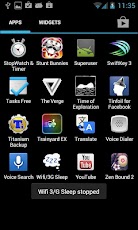
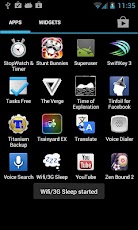
ဆက္ဖတ္ရန္>>>
သံုး ရတာ လဲ အရမ္း လြယ္ပါတယ္ ။သြင္း ၿပီး ရင္ စသံုး ခ်င္ၿပီ ဆုိ အဲ႔ ေဆာ႔၀္ ေပၚ တစ္ခ်က္ေထာက္ လိုက္ ရင္ စတင္ ၿပီး ေနာက္ တစ္ခ်က္ ၿပန္ေထာက္ လိုက္ ရင္ ပိတ္သြား ပါမယ္ ။
သူက ေတာ႔ ဖုန္းမ်က္ႏွာ ၿပင္ ေမွာင္ သြား တာ နဲ႔ ပိတ္ေပး မွာ ၿဖစ္ ၿပီး ပါ၀ါ ခလုပ္ တစ္ခ်က္ ၿပန္ႏို္ပ္ ရင္ ၿဖစ္ၿဖစ္ ကီး တစ္ခုခု ႏိုပ္ လို႔ ၿဖစ္ၿဖစ္ မ်က္ႏွာ ၿပင္လင္း တာ နဲ႔ အင္တာနက္ ၿပန္ဖြင္႔ ေပးမွာပါ ။ ဖုန္းသံုး ေန ရင္ screen ကပိတ္ သြားပါဘူး ။မသံုး ပဲ ဘယ္ေလာက္ ထားရင္ ပိတ္ မလဲ ဆို တာ ကိုယ္႔ ဖုန္း ရဲ႕ screen time out ေပၚ မူတည္ပါမယ္ ။ setting ထဲက display ေအာက္ မွာ screen timeout မွာ ခ်ိန္ ႏိုင္ပါတယ္။
Wifi/3G Sleep
http://www.mediafire.com/?mdzu9coy6yrjuys
or
http://www.4shared.com/android/Y7m3q0bo/MH_Wifi_3G_Sleep.html
App Screenshots
Saturday, May 25, 2013
HD movies ေတြ FREE ၾကည့္ရေအာင္

ေရးေပးဖို ့ ရည္ရြယ္ထားတာ ၾကာေနေပမယ့္ အခက္မခဲေလး တစ္ခ်ိဳ ့ေၾကာင့္ အခုမွပဲ ေရးေပးႏိုင္ပါေတာ့တယ္..
"HDmovies" လို ့ အမည္ရတဲ့ App က Apple Store မွာတင္ေရာင္းတဲ့ App မဟုတ္လို ့ မည္သည့္ App Store မွာမွ ရွာေတြ ့ႏိုင္မွာ မဟုတ္ပါဘူး။ PPstream, Funshion တို ့ထက္ ေကာင္းမြန္ၿပီး ႐ုပ္ရွင္ဇာတ္ကား အမ်ားစုဟာ HD quality နဲ ့ ၾကည့္ရႈႏိုင္ပါတယ္။ Streaming video ျဖစ္လို ့ တစ္ခါထဲ အၿပီးတိုင္ တိုက္ရိုက္ၾကည့္႐ႈပါက ပိုမိုအဆင္ေျပၿပီး connection သိပ္ေကာင္းပါက လိုတဲ့ေနရာကို ေရြ ့ၿပီး ေက်ာ္ၾကည့္ႏိုင္ပါတယ္။
ပံုမွန္ 3G ၏ internet connection နဲ ့တင္ ၾကည့္႐ႈႏိုင္ပါတယ္။ ဒီ App ေလးကို Installous, Vshare တို ့ကဲ့သို ့ သီျခား တည္ေထာင္ထားေသာ ဗီယမ္နန္ AppStore တစ္ခုမွ ရရွိတာျဖစ္ပါတယ္။
iOS ႏွင့္ Android ႏွစ္မ်ိဳးလံုးအတြက္ပါ "Free" ေပးထားပါတယ္။
iDevice မွ တိုက္႐ိုက္သြားပါက သူ၏ Site App ကို Download လုပ္ခိုင္းမွာ ျဖစ္ပါတယ္။ မူရင္း Site ထဲမွာလည္း movies မ်ားကို ၾကည့္ႏိုင္ရန္ လုပ္ေပးထားေသာ္လည္း ၅ မိနစ္အထိသာ Free ၾကည့္ခြင့္ ရၿပီး ဆက္လက္ၾကည့္လိုပါက Point ဝယ္ယူရမွာ ျဖစ္ပါတယ္။
ယခု ေဝမွ်လိုက္ေသာ "HDmovies" App အပါအဝင္ အျခား App ေတာ္ေတာ္မ်ားမ်ားကို "FREE" ေပးထားေပမယ့္ download လုပ္လိုပါက Member အျဖစ္ Sign Up လုပ္ရန္လိုအပ္ပါတာ္။ အားလံုးကို ဗီယမ္နန္ဘာသာ ႏွင့္သာ ေဖာ္ျပထားၿပီး ၾကားထဲတြင္လည္း ကဂ်ီကေဂ်ာင္ လက္ေပါက္ကပ္ေသာ အဆင့္မ်ားခုခံထားတဲ့ အတြက္ Free ဆိုေသာ္လည္း App မ်ား download လုပ္ရန္ အဆင္မေျပပါ။
စူးစမ္းလိုသူမ်ားအတြက္ မူရင္း Site ကို ေအာက္ဆံုးမွာ ေဖာ္ျပေပးထားပါတယ္။
** Jailbreak လုပ္ထားေသာ iDevice မ်ားအတြက္သာ **
>>Download HDmovies For iOS
Install လုပ္နည္းမ်ား
နည္းလမ္း (၁)
iTunes အသံုးျပဳသူမ်ား File ->Add File to Library ႏွင့္ ထည့္ၿပီး Sync လုပ္ပါ။
နည္းလမ္း (၂)
iFunBox အသံုးျပဳသူမ်ား iFunBox Classic -> Install App ႏွင့္ ထည့္သြင္းပါ။
နည္းလမ္း (၃)
iDevice မွ တိုက္႐ိုက္ Download Install လုပ္သူမ်ား အတြက္ "Vshare" ႏွင့္ "iFile" ရွိထားရန္လိုအပ္ပါသည္။
Install လုပ္ရန္ ေအာက္ပါပံုမ်ား အတိုင္း ေဆာင္ရြက္ပါ။


အသံုးျပဳနည္း
App စတက္လာေသာအခါ Update လုပ္ရန္ ေျပာလာပါမည္ "Cancel" သာ ႏွိပ္ပါ။


Video တြင္ လက္ေတြ ့ေလ့လာရန္
ဒီဗီြဒီယိုမွာ စကားမွားထားတာေလးေတြကို Video ရဲ ့ Description မွာ ျပန္ျပင္ ေရးေပးထားပါတယ္...
မူရင္း Site သို ့ >>
အခမဲ့ဆိုတဲ့ အရာတိုင္းမွာ ခန္ ့မွန္းလို ့ မရႏိုင္တဲ့ တန္ဖိုးတစ္ခုေတာ့ အၿမဲရွိေနပါတယ္....
ဤေဆာင္းပါးေလးကေန သင့္အတြက္ တစ္ခုခု ရလိုက္တယ္ဆိုရင္ ေအာက္မွာ "Like" လုပ္ႏိုင္ပါတယ္
မိုးသိၾကား