


Friday, December 21, 2012

the U8818 official 4.0 a ROOT + the Bootloader unlock tool - no official application for the unlock code
C8812/U8818 Bootloader lock to get the unlock success! ! Do not want to go to the official application for children's shoes can be used in this way to unlock!
Attached Huawei official unlock application page: http://www.huaweidevice.com/cn/servicePolicy.do?method=toApplyUnlock,
Warning! ! !
- This operation is dangerous, make sure that the USB connection stability
- This operation does not rule out the possibility of unexpected result does not boot!
- After this operation you may void your warranty rights.
Steps:
[Brush trilogy ROOT / unlock / Recovery, coherent]
1 on the phone, open the ADB debugging, and confirmed that the ADB drivers installed correctly [white can open the pea pods once will automatically install the drivers]
, run unlock tool , first ROOT mobile phone, re-run the tool, and then unlock the phone
to download the unlocking tool [July 9 update software conflicts to solve, and the pea pods]
Brushed into the Recovery
Go to Recovery publish page http://bbs.anzhi.com/thread-5099695-1-1.html
, enjoy your lock-free brush course!
Special instructions to unlock must see! !
1, please do not reprint, please do not go to other places to download! Individual test many times, no problem, but does not ensure that there is a small probability of an accident, so unlock the risk to bear!
2, made into a EXE file, so that the files be destroyed after not run, to avoid the cause unlock problems after the file is corrupted. Can only be used machine of C8812/U8818!
3, after unlock can reflash the official 4.0 package, but can not be downgraded. Brush package will only progress bar and no prompt text, is a normal, there will be no side effects
, brush back the official package will be re-locked, so if you need the warranty, you can brush back to the official package warranty

ဆက္ဖတ္ရန္>>>
Attached Huawei official unlock application page: http://www.huaweidevice.com/cn/servicePolicy.do?method=toApplyUnlock,
Warning! ! !
- This operation is dangerous, make sure that the USB connection stability
- This operation does not rule out the possibility of unexpected result does not boot!
- After this operation you may void your warranty rights.
Steps:
[Brush trilogy ROOT / unlock / Recovery, coherent]
1 on the phone, open the ADB debugging, and confirmed that the ADB drivers installed correctly [white can open the pea pods once will automatically install the drivers]
, run unlock tool , first ROOT mobile phone, re-run the tool, and then unlock the phone
to download the unlocking tool [July 9 update software conflicts to solve, and the pea pods]

Brushed into the Recovery
Go to Recovery publish page http://bbs.anzhi.com/thread-5099695-1-1.html
, enjoy your lock-free brush course!
Special instructions to unlock must see! !
1, please do not reprint, please do not go to other places to download! Individual test many times, no problem, but does not ensure that there is a small probability of an accident, so unlock the risk to bear!
2, made into a EXE file, so that the files be destroyed after not run, to avoid the cause unlock problems after the file is corrupted. Can only be used machine of C8812/U8818!
3, after unlock can reflash the official 4.0 package, but can not be downgraded. Brush package will only progress bar and no prompt text, is a normal, there will be no side effects
, brush back the official package will be re-locked, so if you need the warranty, you can brush back to the official package warranty
Thursday, December 20, 2012
Recovery img & Boot img သြင္း ႏိုင္မည္႕ android app
တခ်ိဳ႕ ဖုန္း ေတြ က custom Recovery ကို .Img ဖိုင္ နဲ႔ ေပး ပါ တယ္ ။
Browse ထဲ က ေန ေဒါင္း ထားတဲ႔ recovery img or boot img ဖိုင္ ကို ေရြး ၿပီး recovery ဆို္ flash recovery ကိုေရြး boot ဆို flash boot ကို ေရြးပါ ။အဲ႔ အၿပင္ recovery ကို လဲ ၀င္ လို႔ ရပါတယ္ ။ မ၀င္ တက္ တဲ႔ သူ ေတြ ဖို႔ အသံုး ၀င္ ပါတယ္ ။ reboot recovery ကို ႏိုပ္ လိုက္ ရံု ပါပဲ ။
ကဲ ထံုးစံ အတိုင္း ေနာ္ ၾကိဳ backup ယူ ထား တစ္ခုခု ၿဖစ္ ရင္ လုပ္တဲ႔ သူ တာ၀န္ ေနာ္ ။

ဒီမွာေဒါင္း ပါ ။
Mobile House 4shared download link
Mobile House hotfile download link
ဆက္ဖတ္ရန္>>>
Browse ထဲ က ေန ေဒါင္း ထားတဲ႔ recovery img or boot img ဖိုင္ ကို ေရြး ၿပီး recovery ဆို္ flash recovery ကိုေရြး boot ဆို flash boot ကို ေရြးပါ ။အဲ႔ အၿပင္ recovery ကို လဲ ၀င္ လို႔ ရပါတယ္ ။ မ၀င္ တက္ တဲ႔ သူ ေတြ ဖို႔ အသံုး ၀င္ ပါတယ္ ။ reboot recovery ကို ႏိုပ္ လိုက္ ရံု ပါပဲ ။
ကဲ ထံုးစံ အတိုင္း ေနာ္ ၾကိဳ backup ယူ ထား တစ္ခုခု ၿဖစ္ ရင္ လုပ္တဲ႔ သူ တာ၀န္ ေနာ္ ။

ဒီမွာေဒါင္း ပါ ။
Mobile House 4shared download link
Mobile House hotfile download link
Android အတြက္ ၿမန္မာ Offline Maps ပါတဲ႔ Application
MapsWithMe Pro, Offline Maps
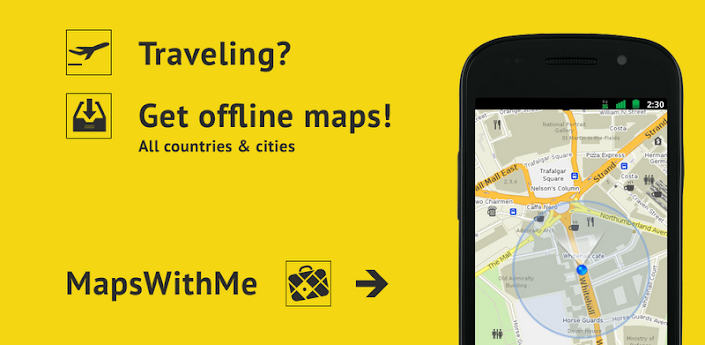
အရင္တစ္ ခါ က google map ကို offline အသံုးၿပဳနည္း ေရးၿပီး ပါၿပီ ။အရင္တစ္ခု က လို ခ်င္ တဲ႔ ၿမိဳ႕ တစ္ၿမိဳ႕ ၿခင္းေဒါင္း ထားရတာ ၿဖစ္ ပါတယ္ ။ ဒီ တစ္ ခါ က ေတာ႔ ၿမန္မာတစ္ ႏိုင္ငံ လံုးတစ္ ခါ တည္း ေဒါင္း ႏိုင္ ပါမယ္ ။ 4mb ေလာက္ပဲ ရွိ ေတာ႔ ဖုန္း အင္တာနက္ နဲ႔ တင္ေဒါင္း ႏိုင္ပါတယ္ ။ အားနည္း ခ်က္ က ေတာ႔ ေၿမပံု က google map ေလာက္ ေတာ႔ လမ္းေတြ မၿပည္႔ စံုပါဘူး ။စမ္း ၾကည္႔ လိုက္ ပါ သူ လဲ မဆိုး ဘူး လို႔ ေၿပာ လို႕ ရပါတယ္ ။
သြင္းၿပီး ရင္ အရင္ ဆံုး ေဒါင္း ဖို႕ အင္တာနက္ ဖြင္႔ ပါ ။ၿပီးရင္ location and security ထဲ က GPS ကို အမွန္ၿခစ္ ပါ ။ၿပီးရင္ apps ဖြင္႔ၿပီး ေတာ႔ ဘယ္ဖက္ေအာက္ နား က ၿမွား ေအာက္စိုက္ တဲ႔ပံုဖြင္႔ ပါ ။ၿပီး ရင္ asia ထဲ၀င္လိုက္ပါ burma ဆိုတာကို ေရြးလိုက္ ပါ ။ေဒါင္း ၿပီးရင္ အင္တာနက္ ပိတ္ ၿပီး စမ္းသံုးလို႕ ရပါၿပီ။


https://play.google.com/store/apps/details?id=com.mapswithme.maps.pro&hl=en
Mobile House မွာ ေတာ႔ အခမဲ႔ ေဒါင္းႏိုင္ ပါတယ္ ။
Mobile House 4shared download link
Mobile House hotfile download link
Sunday, December 16, 2012
Go Launcher ထက္ လန္း တဲ႔ Next Launcher
Go Launcher မသံုးသင္႔ ေၾကာင္း ေရး ခဲ႔ ဘူး ပါ တယ္ ။ လူ ေတြ က လွ လွ လန္းလန္း ေလး ေတြ ကို သေဘာ က် မွန္း သိ လို႕ Next Launcher ကို ရွာ ေဖြ ၿပီးတင္ ေပးလိုက္ ပါတယ္ ။ မ်က္ႏွာ ၿပင္ေပၚ က icon ကို ခဏ ဖိ ထား ၿပီး ၿမန္မာ လိုနာ မည္ ေၿပာင္း ခ်င္ လား ? Icon ကို ေစာင္း ခ်င္ လား ? ၿပီးေတာ႔ ေနရာ ကို လဲ ၾကိဳက္ တဲ႔ ေန ရာ ေရြ႕ ႏိုင္ ပါတယ္ ။ကြန္ၿပဴ တာမွာ လို မ်ိဳး ေပါ႔ ။ menu ထဲ ၀င္ လိုက္ ရင္ လဲ စာ မ်က္ ႏွာ ေၿပာင္း တဲ႔ ပံု စံ ေရြး ႏိုင္ ပါေသးတယ္ ။ menu ထဲ ၀င္ ၿပီး menu ထက္ ႏိုပ္ လိုက္ပါ ညာဖက္ ေအာက္ ဆံုး က ဟာေလး ေရြး ၿပီး ေၿပာင္းရပါတယ္ ။တၿခား အမ်ား ၾကီး လုပ္ လို႔ ရေသးတယ္ ။အရမ္း လဲ လွ ပါတယ္ ။ ကဲ ေၿပာ ေန တာ ၾကာပါတယ္ ။go launcher ဖ်က္ ၿပီး ဒါ ေလး ေၿပာင္း သံုး လိုက္ ရေအာင္ ။
Required Android O/S : 2.2+ က ေန အထက္ သံုးႏိုင္ ပါတယ္ ။
Screenshots :


Download : 2Mb APK
google play မွာ ၀ယ္ ရင္ 15.99$ ေပးရပါတယ္ ။
https://play.google.com/store/apps/details?id=com.gtp.nextlauncher
Mobile House မွာ ေတာ႔ free download လုပ္ ႏိုင္ ပါတယ္ ။
4shared download link from Mobile House
hotfile download link from Mobile House
ဆက္ဖတ္ရန္>>>
Required Android O/S : 2.2+ က ေန အထက္ သံုးႏိုင္ ပါတယ္ ။
Screenshots :
google play မွာ ၀ယ္ ရင္ 15.99$ ေပးရပါတယ္ ။
https://play.google.com/store/apps/details?id=com.gtp.nextlauncher
Mobile House မွာ ေတာ႔ free download လုပ္ ႏိုင္ ပါတယ္ ။
4shared download link from Mobile House
hotfile download link from Mobile House
Friday, December 14, 2012
ZipInstaller 2.4.7 for CWM-based + TWRP + 4EXT Recoveries
ZipInstaller 2.4.7
A fast and easy way to install ZIPs


A fast and easy way to install ZIPs
Overview
ZipInstaller is a little app that makes it faster to pick up and install the zip files you want to install via recovery. Instead of using the volume and power keys to select the different options inside the recovery, you can pick up all the zips you want with your favorite file manager from the internal sdcard and choose wether you want to wipe cache and/or data, that's it. You also can send the ZIPs you want through the send/share menu of your file manager.
ZipInstaller was originally part of The Beer Gang's JellyBeer ROM.
Features
- Install as much zips you want in a row (they are added to a list and then you click the "install" button). Just zips from internal sdcard.
- Add zips directly from a file manager through the send/share menu.
- Click on the zips added to see it's properties or remove it from the list.
- You can define the recovery and the sdcard mount point name in the menu (default is CWM-based - emmc).
- If you add a zip that was already added, it goes down to the last position.
- Reorder the list using drag and drop.
- Save and load your list.
- Open source!
Help needed
ZipInstaller has been initially tested in a Galaxy Note with CM10 based ROMs so if you want to help me in development, test the app, if it works in your device/ROM post it and i will add it to the working devices list. If it doesn't work, please provide a logcat and/or the recovery log or open a bug report if you think it's a bug.
Source code
The source code is available here: https://github.com/beerbong/com_beerbong_zipinst
Feel free to download it and modify as you want.
Download
Find latest version of the apk and a CWM flashable zip here: http://goo.im/devs/beerbong/apps/ZipInstaller
Bugs
Did you find a bug? Please report it in the app's github repo: https://github.com/beerbong/com_beerbong_zipinst/issues
Working devices
- Samsung Galaxy Note (CM10 based ROMs)
- Samsung Galaxy Note II (Omega based on JB TW, CM10 based ROMs, MIUI)
- Samsung Galaxy SIII (4.0.4 stock)
- Samsung Galaxy SII (CM10, JB AOKP)
- Samsung Galaxy S (CM10)
- Samsung Captivate (Slim ICS w/ Devil kernel)
- Samsung Vibrant (CM10.1)
- Sony Xperia S (CM10)
- Sony Xperia P
- HTC Desire HD (CM10)
- Asus Nexus 7 (CM10 based ROMs)
U8950D new firmware
U8950D,Android 4.0,V100R001C17B949
Download HereU8950D,Android 4.0,V100R001C17B949
U8950D,Android 4.0,V100R001C17B952
..


Wednesday, December 12, 2012
ဖုန္းေပ်ာက္ ရင္ ဘာလုပ္ သင္႔ လဲ
ဖုန္း ကိုင္ တဲ႔ လူဦး ေရ အရမ္း မ်ား လာ ၿပီ ဆို ေတာ႔ ဖုန္း ေပ်ာက္ တဲ႔ သူေတြ လဲ ေတာ္ေတာ္ မ်ား လာပါၿပီ ။ တခ်ိဳ႕ လဲ အခိုးခံ ရလို႔ ၊ တခ်ိဳ႕ လဲ ေမ႕ တက္ လို႕ ၊ တခ်ိဳ႕ က က် က်န္ခဲ႔ တာ မ်ိဳး ေပါ႔ ။အစံု ပါ ပဲ ။ အခိုးခံ ရ ၿပီ ဆိုရင္ ေတာ႔ ညိွ လုိ႔ မရ ႏိုင္ေတာ႔ ပါဘူး ။ ေမ႔ က်န္ ခဲ႔ တာ နဲ႔ က် က်န္ ခဲ႔ တာ ဆို ရင္ ေတာ႔ ေကာက္ရ တဲ႔ သူ ရဲ႕ စိတ္ထားေပၚ မူ တည္ ပါတယ္ ။တခါ ေလ လဲ ကံေကာင္း ရင္ ဘာ မွ မကုန္ ပဲ ၿပန္ ရပါတယ္ ။တခါေလ လဲ မုန္႔ ဖိုး ေပးၿပီး ၿပန္ ရတာ လဲ ရွိ ပါတယ္ ။ ေပ်ာက္ တဲ႔ ဖုန္း ( ဟန္းဆက္ ) ကတန္ ဖိုး မရွိ ေပ မဲ႔ ဖုန္း ကဒ္ ( sim card ) ၿပန္ ေလ်ာက္ ရ တာ အလုပ္ ရႈပ္ ပါတယ္ ။
ကဲ ဖုန္း တစ္လံုး ၀ယ္ၿပီး ၿပီ ဆို လွ်င္ ဘာလုပ္ သင္႔ လဲဆိုတာ စေၿပာ ၿပ ပါမယ္ ။
၁။ မိမိ ဖုန္း ကို pin lock မ ဟုတ္ ပဲ phone lock ထည္႔ ထားပါ ။Pin lock ခ် ရင္ ေတာ႔ sim card ပ်က္ ႏုိင္ ပါတယ္ ။ android ေတြ မွာ ဆို pattern lock or password lock ၾကိဳက္ တာ ထည္႔ ႏိုင္ ပါတယ္ ။ ထည္႔ သည္႔ password ကို မိမိ သံုး ေန ၾက နံပတ္ ထည္႔ ပါ ။ သို႕မဟုတ္ တစ္ေန ရာ မွာ ေရး မွတ္ ထားပါ ။ password ကို ခဏ ခဏ မေၿပာင္းပါ နဲ႔ ။ မွတ္ခ်က္ - မလုပ္ တက္ ပါ က ဆိုင္ တြင္ လုပ္ ခိုင္း ပါ ။
Password ခ်ထားၿခင္း ၿဖင္႔ battery ကုန္ သြား လို႔ ၿပန္ ဖြင္႔ လွ်င္ password ေတာင္း ပါမည္ ။
၂။ Android မွာ debugging mode အမွန္ၿခစ္ ထားေပး ပါ ရန္ ။ၿခစ္ထားေပးပါ က password ၿပန္ ဖ်က္ လို႔ ရပါတယ္ ။သို႔ မဟုတ္ google account ထည္႔ ထားပါ က password ေမ႔ သြား လွ်င္ ၿဖစ္ေစ ၊ လုပ္တဲ႔ အခါ ေက်ာ္ သြားရင္ ၿဖစ္ ေစ account နဲ႔ password ထည္႔ၿပီး ၿပန္၀င္ လို႔ ရပါတယ္ ။
၃။ မိမိ ဖုန္း ဘူးခြံ သိမ္း ထားပါ ။သို႕ မဟုတ္ ဖုန္း ၏ IMEI နံပတ္ ကို ေရးမွတ္ ၿပီး ဘုရားစင္ေပၚ ၿဖစ္ၿဖစ္ တင္ထား လိုက္ ပါ ။ လက္ ရွိ ဘူး ခြံ မရွီ ေတာ႔ လွ်င္ *#06# ရိုက္ ၿပီး ေပၚ လာတဲ႔ နံပတ္ အကုန္ ကူးထားပါ ။ၿပီး လွ်င္ ေမာ္ ဒယ္ နံပတ္ ကူးထားပါ ။
၄။ မိမိ ဖုန္း အခိုးခံ ရတာ ေသခ်ာ လွ်င္ မိမိ ဖုန္း ေပ်ာက္ သည္႔ နယ္ေၿမ ပိုင္ ရဲစခန္း စံုစမ္း ၿပီး အမႈ ဖြင္႔ ထားပါ ။ အလုပ္ ရႈပ္ တယ္ ဆို ၿပီး မဖြင္႔ ရင္ ေတာ႔ သူခိုး က ကိုယ္႕ ဖုန္း နဲ႔ ေတြ႔ ေန ရင္ ေတာင္ ဘာ မွ လုပ္ မရ ပါ ဘူး ။ အမႈ ဖြင္႔ လွ်င္ မိမိ ဖုန္း ေမာ္ဒယ္ ႏွင္႔ တကြ IMEI နံပတ္ ပါ တြဲ ၿပီး ေၿပာ ၿပ ထားပါ ။IMEI code ဟာ ဖုန္း တစ္ လံုး ရဲ႕ ကိုယ္ ပိုင္ အမွတ္စဥ္ ၿဖစ္ တဲ႔ အတြက္ တူ တဲ႔ အလံုး မရွိ ပါဘူး ။ ၿပီး လွ်င္ အဲ႔ ရဲစခန္း မွာ အမႈ ဖြင္႔ ထား တဲ႔ အေၾကာင္း နဲ႔ ရဲစခန္း ဖုန္း နံပတ္ မိမိ ဖုန္း နံပတ္ ။မိမိ ဖုန္း ေမာ္ဒယ္ ။အေရာင္ IMEI နံပတ္ စတာေတြ ကို စာစီစာရိုက္ ၿပီး မိမိ ေတြ႕ သမွ် ဖုန္း ဆိုင္ ေတြ လိုက္ ေပး ထားပါ ။ password ခ်ထား တဲ႔ ဖုန္း ဆို ရင္ ၂ ရက္ ၃ ရက္ အတြင္း ဆိုင္ ေရာက္ လာ ႏုိင္ ပါ တယ္ ။ မခ် ထား ရင္ ေတာ႔ ၾကာ ႏိုင္ ပါတယ္ ။
၅။ တကယ္ လို႕ ေမ႕ က်န္ ခဲ႔ တယ္ က် ေပ်ာက္ တယ္ ဆို ရင္ ေတာ႔ ရဲတိုင္ လို႕ အဆင္ မေၿပ ႏိုင္ ပါ ဘူး ။ ၃ ရက္ ေလာက္ ထိ ဖုန္း ဆက္ ၾကည္႕ ပါ ။ ဆက္လို႔ ရ ရင္ ညိွ ၾကည္႕ လိုက္ ပါ ။သူခိုး ဆို တဲ႔ ပံု မ်ိဳး ေတာ႔ မေၿပာ မိပါေစ နဲ႔ ။မိမိ က်က်န္ ခဲ႔ တဲ႔ ပံု မ်ိဳး ႏွင္႔ သာ ညိွ ပါ ။မိမိ ဟန္းဆက္ တန္ ေၾကး နဲ႔ တြက္ ၿပီး ေပး ၾကည္႔ ပါ ။ အဆင္ ေၿပ ရင္ လဲ ၿပီး သြား တာပါ ပဲ ။ ၃ ရက္ ေက်ာ္ သြား ရင္ ေတာ႔ စိတ္ ေလ်ာ႔ လိုက္ ပါေတာ႔ ။မိမိ ၀ယ္ တုန္း က စာရြက္ စာ တန္း ေတြ ႏွင္႔ တကြ မိမိ ဖုန္းကဒ္ ထုတ္ သည္႕ ဆက္သြယ္ေရး ရံုး တြင္ အေပ်ာက္ ၿပန္ ေလ်ာက္ လိုက္ ပါ ေတာ႔ ။
အား လံုး အဆင္ ေၿပ ပါ ေစ ....................
ဆက္ဖတ္ရန္>>>
ကဲ ဖုန္း တစ္လံုး ၀ယ္ၿပီး ၿပီ ဆို လွ်င္ ဘာလုပ္ သင္႔ လဲဆိုတာ စေၿပာ ၿပ ပါမယ္ ။
၁။ မိမိ ဖုန္း ကို pin lock မ ဟုတ္ ပဲ phone lock ထည္႔ ထားပါ ။Pin lock ခ် ရင္ ေတာ႔ sim card ပ်က္ ႏုိင္ ပါတယ္ ။ android ေတြ မွာ ဆို pattern lock or password lock ၾကိဳက္ တာ ထည္႔ ႏိုင္ ပါတယ္ ။ ထည္႔ သည္႔ password ကို မိမိ သံုး ေန ၾက နံပတ္ ထည္႔ ပါ ။ သို႕မဟုတ္ တစ္ေန ရာ မွာ ေရး မွတ္ ထားပါ ။ password ကို ခဏ ခဏ မေၿပာင္းပါ နဲ႔ ။ မွတ္ခ်က္ - မလုပ္ တက္ ပါ က ဆိုင္ တြင္ လုပ္ ခိုင္း ပါ ။
Password ခ်ထားၿခင္း ၿဖင္႔ battery ကုန္ သြား လို႔ ၿပန္ ဖြင္႔ လွ်င္ password ေတာင္း ပါမည္ ။
၂။ Android မွာ debugging mode အမွန္ၿခစ္ ထားေပး ပါ ရန္ ။ၿခစ္ထားေပးပါ က password ၿပန္ ဖ်က္ လို႔ ရပါတယ္ ။သို႔ မဟုတ္ google account ထည္႔ ထားပါ က password ေမ႔ သြား လွ်င္ ၿဖစ္ေစ ၊ လုပ္တဲ႔ အခါ ေက်ာ္ သြားရင္ ၿဖစ္ ေစ account နဲ႔ password ထည္႔ၿပီး ၿပန္၀င္ လို႔ ရပါတယ္ ။
၃။ မိမိ ဖုန္း ဘူးခြံ သိမ္း ထားပါ ။သို႕ မဟုတ္ ဖုန္း ၏ IMEI နံပတ္ ကို ေရးမွတ္ ၿပီး ဘုရားစင္ေပၚ ၿဖစ္ၿဖစ္ တင္ထား လိုက္ ပါ ။ လက္ ရွိ ဘူး ခြံ မရွီ ေတာ႔ လွ်င္ *#06# ရိုက္ ၿပီး ေပၚ လာတဲ႔ နံပတ္ အကုန္ ကူးထားပါ ။ၿပီး လွ်င္ ေမာ္ ဒယ္ နံပတ္ ကူးထားပါ ။
၄။ မိမိ ဖုန္း အခိုးခံ ရတာ ေသခ်ာ လွ်င္ မိမိ ဖုန္း ေပ်ာက္ သည္႔ နယ္ေၿမ ပိုင္ ရဲစခန္း စံုစမ္း ၿပီး အမႈ ဖြင္႔ ထားပါ ။ အလုပ္ ရႈပ္ တယ္ ဆို ၿပီး မဖြင္႔ ရင္ ေတာ႔ သူခိုး က ကိုယ္႕ ဖုန္း နဲ႔ ေတြ႔ ေန ရင္ ေတာင္ ဘာ မွ လုပ္ မရ ပါ ဘူး ။ အမႈ ဖြင္႔ လွ်င္ မိမိ ဖုန္း ေမာ္ဒယ္ ႏွင္႔ တကြ IMEI နံပတ္ ပါ တြဲ ၿပီး ေၿပာ ၿပ ထားပါ ။IMEI code ဟာ ဖုန္း တစ္ လံုး ရဲ႕ ကိုယ္ ပိုင္ အမွတ္စဥ္ ၿဖစ္ တဲ႔ အတြက္ တူ တဲ႔ အလံုး မရွိ ပါဘူး ။ ၿပီး လွ်င္ အဲ႔ ရဲစခန္း မွာ အမႈ ဖြင္႔ ထား တဲ႔ အေၾကာင္း နဲ႔ ရဲစခန္း ဖုန္း နံပတ္ မိမိ ဖုန္း နံပတ္ ။မိမိ ဖုန္း ေမာ္ဒယ္ ။အေရာင္ IMEI နံပတ္ စတာေတြ ကို စာစီစာရိုက္ ၿပီး မိမိ ေတြ႕ သမွ် ဖုန္း ဆိုင္ ေတြ လိုက္ ေပး ထားပါ ။ password ခ်ထား တဲ႔ ဖုန္း ဆို ရင္ ၂ ရက္ ၃ ရက္ အတြင္း ဆိုင္ ေရာက္ လာ ႏုိင္ ပါ တယ္ ။ မခ် ထား ရင္ ေတာ႔ ၾကာ ႏိုင္ ပါတယ္ ။
၅။ တကယ္ လို႕ ေမ႕ က်န္ ခဲ႔ တယ္ က် ေပ်ာက္ တယ္ ဆို ရင္ ေတာ႔ ရဲတိုင္ လို႕ အဆင္ မေၿပ ႏိုင္ ပါ ဘူး ။ ၃ ရက္ ေလာက္ ထိ ဖုန္း ဆက္ ၾကည္႕ ပါ ။ ဆက္လို႔ ရ ရင္ ညိွ ၾကည္႕ လိုက္ ပါ ။သူခိုး ဆို တဲ႔ ပံု မ်ိဳး ေတာ႔ မေၿပာ မိပါေစ နဲ႔ ။မိမိ က်က်န္ ခဲ႔ တဲ႔ ပံု မ်ိဳး ႏွင္႔ သာ ညိွ ပါ ။မိမိ ဟန္းဆက္ တန္ ေၾကး နဲ႔ တြက္ ၿပီး ေပး ၾကည္႔ ပါ ။ အဆင္ ေၿပ ရင္ လဲ ၿပီး သြား တာပါ ပဲ ။ ၃ ရက္ ေက်ာ္ သြား ရင္ ေတာ႔ စိတ္ ေလ်ာ႔ လိုက္ ပါေတာ႔ ။မိမိ ၀ယ္ တုန္း က စာရြက္ စာ တန္း ေတြ ႏွင္႔ တကြ မိမိ ဖုန္းကဒ္ ထုတ္ သည္႕ ဆက္သြယ္ေရး ရံုး တြင္ အေပ်ာက္ ၿပန္ ေလ်ာက္ လိုက္ ပါ ေတာ႔ ။
အား လံုး အဆင္ ေၿပ ပါ ေစ ....................