
Mobile House မန္ဘာ မ်ား ေက်းဇူး ၿပဳ ၿပီး www.mobilehouse.co.nr မွ တိုက္ ရိုက္ ၀င္ေပး ပါ ရန္ ႏွင္႔ အသစ္ တင္ သမွ် ကို သိရွိ ေစရန္
https://www.facebook.com/MobileHouseServiceCentre
မွာ Like လုပ္ ေပး ၾက ပါ ....

Thursday, May 30, 2013

How to create and install android bootanimations from scratch

How to create and install android bootanimations from scratch

This is a guide which tells you how to make a your very own bootanimation and install a bootanimation on your device.
plz let me know if you made a bootanimation using this method so that every bootanimation made using this method can be posted here


Code:
#This guide assumes that you are windows user and have - 
  1- 7 zip or winrar installed
  2- a image editing software (for ex-photoshop)  #
Bootanimation- what is it ?

Quote:
Bootanimation basically is a collection of .png pictures that are projected on the screen one after the other quickly so that it looks like a animation , stored in a zip file
Prerequisites

1-you need a bootanimation.zip file [you can find them on google]

now if you have downloaded the bootanimation.zip file ,open it up

2- as you can see in the picture you find some folders in it named
Code:
"part0"    "part1"    "part2"
and a desc.txt file .


Quote:
EXPLANATIONS
folders like part0;part1,etc. STORE .png pictures of bootnaimation
the desc.txt file contains all the necessary info to run bootanimation like resolution fps ,etc
EXPLANATION OF desc.txt


Code:
As you can see in the image
   #1-it is the resolution of the bootanimation(you should basically use your device's resolution for ex - in the pic it is 320X480)
   #2-it is the fps(frames per second) of your bootanimation [higher the no. faster will your bootanimation play a standard fps should be 30]
   #3-these are the folders which contain images for your bootanimation
   #4-it is a pointer to tell it to look at new commands
   #5-specifies the no. of times this section of bootanimation will play ( 0 means infinite)
   #6-defines pause in seconds before repeating or moving on next line (o means no pause 10 means 10 sec pause)

Fire it up el captain !!

we'll start making a bootanimation from scratch from here


#1-create a folder anywhere put in desktop for ease,let's call it
Code:
bootanimation
#2-open the folder and create another folder name it
Code:
part0
#3- With part0 created, it's time for you to start creating an image. To make it simple for beginning we'll make a simple one .So, using Photoshop as an example, create a new image which is the resolution of your handset. [like if ur on htc explorer use 320X480 or galaxy mini use 340X320] (if u don't know your device's resolution google it

#4-Give a black background to the image and take a image you wan't to fade in . paste it as a new layer and set the layer to 0% opacity
so now you can only see a black background.

#5-now save the image in your
Code:
part0 folder
and name it
Code:
image00.png
#6-now increase the opacity of your bootanimation by a narrow degree say 6%.now save it as
Code:
image002.png
in the part0 folder

#7-repeat step 5 every time until you reach 100%.and each time save it as image003-image004 etc. in part0 folder

#8-open notepad and type this --
Code:

320 480 30

p 1 0 part0
Code:
change the 320 480 with the resolution you are using
#9- save it as :
Code:
desc.txt
in the root of your bootanimation folder (not in part0)

#10- compress it using your archive manager say 7zip ;winrar,etc.
imp: SET COMPRESSION METHOD TO STORE
or else bootanimation WON'T work

congrats u just made a boot animation... and remember to share with us your bootanimation

Installing bootanimations

To install your bootanimation just use root explorer to put it in system/media folder
if using htc stock rom put it in system/customize/resources folder (make sure to rename it the bootanimation.zip to htc_bootup.zip )
ဆက္ဖတ္ရန္>>>

Sunday, May 26, 2013

ဖုန္း ၿဖင္႔ 3G အင္တာနက္ သံုး သူမ်ား ေဆာင္ သင္႔ တဲ႔ ေဆာ႔၀္

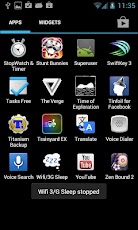
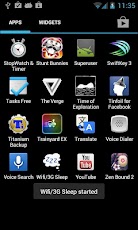
ဖုန္း ေတြ အင္တာနက္ ရေတာ႔ ေတာ္ေတာ္ မ်ား မ်ား သံုး လာၾက ပါတယ္ ။ကြန္နက္ ရွင္ က သိပ္မေကာင္း ေတာ႔ ေစာင္႔ ရင္း နဲ႔ အိပ္ေပ်ာ္ သြား တာတို႔ ေမ႔ သြား တာတို႔ ရွိတက္ပါတယ္ ။ အဲ႔ ခ်ိန္ မွာ ပိုက္ ဆံ မကုန္ ရေအာင္ ဒီေဆာ႔၀္ ေလး က ကူညီေပး မွာပါ ။
သံုး ရတာ လဲ အရမ္း လြယ္ပါတယ္ ။သြင္း ၿပီး ရင္ စသံုး ခ်င္ၿပီ ဆုိ အဲ႔ ေဆာ႔၀္ ေပၚ တစ္ခ်က္ေထာက္ လိုက္ ရင္ စတင္ ၿပီး ေနာက္ တစ္ခ်က္ ၿပန္ေထာက္ လိုက္ ရင္ ပိတ္သြား ပါမယ္ ။

သူက ေတာ႔ ဖုန္းမ်က္ႏွာ ၿပင္ ေမွာင္ သြား တာ နဲ႔ ပိတ္ေပး မွာ ၿဖစ္ ၿပီး ပါ၀ါ ခလုပ္ တစ္ခ်က္ ၿပန္ႏို္ပ္ ရင္ ၿဖစ္ၿဖစ္ ကီး တစ္ခုခု ႏိုပ္ လို႔ ၿဖစ္ၿဖစ္ မ်က္ႏွာ ၿပင္လင္း တာ နဲ႔ အင္တာနက္ ၿပန္ဖြင္႔ ေပးမွာပါ ။ ဖုန္းသံုး ေန ရင္ screen ကပိတ္ သြားပါဘူး ။မသံုး ပဲ ဘယ္ေလာက္ ထားရင္ ပိတ္ မလဲ ဆို တာ ကိုယ္႔ ဖုန္း ရဲ႕ screen time out ေပၚ မူတည္ပါမယ္ ။ setting ထဲက display ေအာက္ မွာ screen timeout မွာ ခ်ိန္ ႏိုင္ပါတယ္။

Wifi/3G Sleep


Download Here

http://www.mediafire.com/?mdzu9coy6yrjuys

or

http://www.4shared.com/android/Y7m3q0bo/MH_Wifi_3G_Sleep.html

App Screenshots


ဆက္ဖတ္ရန္>>>

Saturday, May 25, 2013

HD movies ေတြ FREE ၾကည့္ရေအာင္


iPhone, iPad, iPodTouch မ်ားမွ ေန၍ HD quality ရုပ္ရွင္မ်ားကို လြယ္လြယ္ကူကူ FREE ၾကည့္႐ႈႏိုင္မယ့္ App ေလး တစ္ခု ေဝမွ်ေပးလိုက္ပါတယ္။
ေရးေပးဖို ့ ရည္ရြယ္ထားတာ ၾကာေနေပမယ့္ အခက္မခဲေလး တစ္ခ်ိဳ ့ေၾကာင့္ အခုမွပဲ ေရးေပးႏိုင္ပါေတာ့တယ္..

"HDmovies" လို ့ အမည္ရတဲ့ App က Apple Store မွာတင္ေရာင္းတဲ့ App မဟုတ္လို ့ မည္သည့္ App Store မွာမွ ရွာေတြ ့ႏိုင္မွာ မဟုတ္ပါဘူး။ PPstream, Funshion တို ့ထက္ ေကာင္းမြန္ၿပီး ႐ုပ္ရွင္ဇာတ္ကား အမ်ားစုဟာ HD quality နဲ ့ ၾကည့္ရႈႏိုင္ပါတယ္။ Streaming video ျဖစ္လို ့ တစ္ခါထဲ အၿပီးတိုင္ တိုက္ရိုက္ၾကည့္႐ႈပါက ပိုမိုအဆင္ေျပၿပီး connection သိပ္ေကာင္းပါက လိုတဲ့ေနရာကို ေရြ ့ၿပီး ေက်ာ္ၾကည့္ႏိုင္ပါတယ္။

ပံုမွန္ 3G ၏ internet connection နဲ ့တင္ ၾကည့္႐ႈႏိုင္ပါတယ္။ ဒီ App ေလးကို Installous, Vshare တို ့ကဲ့သို ့ သီျခား တည္ေထာင္ထားေသာ ဗီယမ္နန္ AppStore တစ္ခုမွ ရရွိတာျဖစ္ပါတယ္။
iOS ႏွင့္ Android ႏွစ္မ်ိဳးလံုးအတြက္ပါ "Free" ေပးထားပါတယ္။

iDevice မွ တိုက္႐ိုက္သြားပါက သူ၏ Site App ကို Download လုပ္ခိုင္းမွာ ျဖစ္ပါတယ္။ မူရင္း Site ထဲမွာလည္း movies မ်ားကို ၾကည့္ႏိုင္ရန္ လုပ္ေပးထားေသာ္လည္း ၅ မိနစ္အထိသာ Free ၾကည့္ခြင့္ ရၿပီး ဆက္လက္ၾကည့္လိုပါက Point ဝယ္ယူရမွာ ျဖစ္ပါတယ္။
ယခု ေဝမွ်လိုက္ေသာ "HDmovies" App အပါအဝင္ အျခား App ေတာ္ေတာ္မ်ားမ်ားကို "FREE" ေပးထားေပမယ့္ download လုပ္လိုပါက Member အျဖစ္ Sign Up လုပ္ရန္လိုအပ္ပါတာ္။ အားလံုးကို ဗီယမ္နန္ဘာသာ ႏွင့္သာ ေဖာ္ျပထားၿပီး ၾကားထဲတြင္လည္း ကဂ်ီကေဂ်ာင္ လက္ေပါက္ကပ္ေသာ အဆင့္မ်ားခုခံထားတဲ့ အတြက္ Free ဆိုေသာ္လည္း App မ်ား download လုပ္ရန္ အဆင္မေျပပါ။
စူးစမ္းလိုသူမ်ားအတြက္ မူရင္း Site ကို ေအာက္ဆံုးမွာ ေဖာ္ျပေပးထားပါတယ္။

** Jailbreak လုပ္ထားေသာ iDevice မ်ားအတြက္သာ **

>>Download HDmovies For iOS

Install လုပ္နည္းမ်ား

နည္းလမ္း (၁)
iTunes အသံုးျပဳသူမ်ား File ->Add File to Library ႏွင့္ ထည့္ၿပီး Sync လုပ္ပါ။

နည္းလမ္း (၂)
iFunBox အသံုးျပဳသူမ်ား iFunBox Classic -> Install App ႏွင့္ ထည့္သြင္းပါ။

နည္းလမ္း (၃)
iDevice မွ တိုက္႐ိုက္ Download Install လုပ္သူမ်ား အတြက္ "Vshare" ႏွင့္ "iFile" ရွိထားရန္လိုအပ္ပါသည္။
Install လုပ္ရန္ ေအာက္ပါပံုမ်ား အတိုင္း ေဆာင္ရြက္ပါ။


အသံုးျပဳနည္း

App စတက္လာေသာအခါ Update လုပ္ရန္ ေျပာလာပါမည္ "Cancel" သာ ႏွိပ္ပါ။

မိမိၾကည့္လို ေသာ movie ကို ႏွိပ္ၿပီး ျမွားျပထားေသာ "001" ေနရာကို ႏွိပ္ပါ။

စိတ္ႀကိဳက္ ၾကည့္႐ႈႏိုင္ပါၿပီ...


Video တြင္ လက္ေတြ ့ေလ့လာရန္


ဒီဗီြဒီယိုမွာ စကားမွားထားတာေလးေတြကို Video ရဲ ့ Description မွာ ျပန္ျပင္ ေရးေပးထားပါတယ္...


မူရင္း Site သို ့ >>


အခမဲ့ဆိုတဲ့ အရာတိုင္းမွာ ခန္ ့မွန္းလို ့ မရႏိုင္တဲ့ တန္ဖိုးတစ္ခုေတာ့ အၿမဲရွိေနပါတယ္....

ဤေဆာင္းပါးေလးကေန သင့္အတြက္ တစ္ခုခု ရလိုက္တယ္ဆိုရင္ ေအာက္မွာ "Like" လုပ္ႏိုင္ပါတယ္

မိုးသိၾကား
ဆက္ဖတ္ရန္>>>

iOS 6.1.3 ႏွင့္ အထက္ iOS မ်ားကို Update လုပ္ရန္ စဥ္းစားပါ


iOS 6.1.3 ထြက္လာတာ ႏွစ္ပတ္နီးပါးမွ် ၾကာျမင့္လာခဲ့ေပမယ့္ ယခုအခ်ိန္ထိေတာ့ Jailbreak မလုပ္ႏိုင္ေသးပါဘူး၊ အဲဒီ အေျခေနကို အခြင့္ေကာင္းယူလွ်က္ iOS 6 တုန္းကလိုပဲ iOS 6.1.3 ကို Jailbreak လုပ္ႏိုင္ၿပီ ဆိုတဲ့ Fake Jailbreak ေတြ Online ေပၚမွာ ပ်ံ ့ႏွံ ့လွ်က္ ရွိေနပါတယ္။

"evasi0n" ဟာ ဆက္တိုက္နီးပါး Apple က update လုပ္ခဲ့တဲ့ iOS ႏွစ္ခုကို ေထာက္ပံ့ေပးႏိုင္ခဲ့ၿပီး iDevice သန္းႏွစ္ဆယ္နီးပါး Jailbreak လုပ္ႏိုင္ခဲ့ပါတယ္၊ သို ့ေပမယ့္ iOS 6.1.3 အတြက္ Jailbreak ကို ထုတ္ေပးမယ့္ အလားအလာကို ခုခ်ိန္ထိ မေတြ ့ျမင္ရေသးပါဘူး...

"evad3rs" အဖြဲ ့ဝင္ တစ္ဦးျဖစ္သူ "pod2g" က
"iOS 6.1.3 Jailbreak အတြက္ အလုပ္မလုပ္ေတာ့ပါဘူး၊ Apple အေသးအဖြဲ update လုပ္တာေတြေနာက္ အားစိုက္လိုက္ရတာ မတန္ေတာ့လို ့ ေနာက္ထပ္ ထြက္လာမယ့္ major iOS အတြက္သာ ေစာင့္ေမွ်ာ္ေနပါတယ္" လို ့ သူ ့ရဲ ့ Twitter မွာ ေျပာၾကားသြားခဲ့ပါတယ္။


"pod2g" ဆိုလိုတဲ့ "major iOS" ဟာ "iOS 7" ျဖစ္ႏိုင္ဖြယ္ရွိၿပီး Apple ကလည္း ျပဳလုပ္ေနက် သူရဲ ့ "WWDC event" မွာ "iOS 7" ကို ပြဲထုတ္ႏိုင္ဖို ့ ေမွ်ာ္လင့္ထားပါတယ္။ "WWDC event" ကလည္း ထံုစံအတိုင္း ဇြန္လ အလယ္ေလာက္မွာ ျဖစ္မွာမို ့ ေနာက္ထပ္ ႏွစ္လနီးပါးေလာက္ ေစာင့္စားရဦးမွာျဖစ္ပါတယ္။

ဒီေတာ့ Jailbreaker မ်ား အေနနဲ ့ Apple ရဲ ့ iOS update တိုင္းကို ေျချမန္လက္ျမန္ update မလုပ္မိဖို ့ကို အထူးသတိျပဳၾကရမွာ ျဖစ္ပါတယ္။
ဒါ့အျပင္ ယခုလက္ရွိ iOS 6.x ကို Jailbreak ျဖစ္ထားသူမ်ားလည္း မိမိ iOS ကို မေပ်ာက္ပ်က္သြားေအာင္ ကာကြယ္ထားဖို ့လည္းလိုအပ္ပါတယ္..


အခမဲ့ဆိုတဲ့ အရာတိုင္းမွာ ခန္ ့မွန္းလို ့ မရႏိုင္တဲ့ တန္ဖိုးတစ္ခုေတာ့ အၿမဲရွိေနပါတယ္....

ဤေဆာင္းပါးေလးကေန သင့္အတြက္ တစ္ခုခု ရလိုက္တယ္ဆိုရင္ ေအာက္မွာ "Like" လုပ္ႏိုင္ပါတယ္

မိုးသိၾကား
ဆက္ဖတ္ရန္>>>

မရွိမျဖစ္ Movie Box


႐ုပ္ရွင္ ဝါသနာအိုးမ်ား အတြက္ Online Movies မ်ားကို အလြယ္တစ္ကူ ၾကည့္႐ႈႏိုင့္မယ့္ အေကာင္းတစ္ကာ့ အေကာင္းဆံုး App တစ္ခုကို ညႊန္းလိုက္ခ်င္ပါတယ္။

Quality သံုးမ်ိဳးေပးထားၿပီး မိမိ၏ connection အေျခေနေပၚမူတည္ကာ စိတ္ႀကိဳက္ ေရြးခ်ယ္ ၾကည့္႐ႈႏိုင္တဲ့အျပင္ Download လုပ္ၿပီး သိမ္းထားႏိုင္ပါေသးတယ္။
႐ုပ္ရွင္ဇာတ္ကား အမ်ိဳးအစား စံုလင္စြာ ပါရွိတဲ့အျပင္ TV show မ်ားလည္း ပါဝင္ၿပီး ေတာ္ေတာ္မ်ားမ်ား Update ျဖစ္တာေတြကို ၾကည့္႐ႈႏိုင္ပါတယ္။

"Movie Box" လို ့ အမည္ရတဲ့ App ေလးကို မသိေသးတဲ့ မိတ္ေဆြမ်ားအတြက္ အထူးရည္ရြယ္ ေဖာ္ျပေပးလိုက္ပါတယ္။ "Movie Box" ကို Cydia မွတစ္ဆင့္ သြင္းယူရမွာျဖစ္လို သင့္ iDevice ဟာ Jailbreak ျဖစ္ေနဖို ့ေတာ့ လိုအပ္ပါတယ္။


>> "Movie Box" ကို သြင္းယူႏိုင္မည့္ Cydia Source မ်ား <<

  • " http://moviebox.x10.mx/repo " *Updated*
  • " http://repo.insanelyi.com " *Updated*
  • " http://ihacksrepo.com "
  • " http://repo.biteyourapple.net "
  • " http://igoldhouse.myrepospace.com "

တစ္ခုခုကို Cydia -> Sources -> Edit -> Add တြင္ ထည့္သြင္းၿပီး "Movie Box" ကို Install လုပ္ႏိုင္ပါၿပီ...

Updated source အသစ္တြင္ "Music Video" မ်ားပါ ထပ္မံျဖည့္စြက္ထားပါတယ္။


အခမဲ့ဆိုတဲ့ အရာတိုင္းမွာ ခန္ ့မွန္းလို ့ မရႏိုင္တဲ့ တန္ဖိုးတစ္ခုေတာ့ အၿမဲရွိေနပါတယ္....

ဤေဆာင္းပါးေလးကေန သင့္အတြက္ တစ္ခုခု ရလိုက္တယ္ဆိုရင္ ေအာက္မွာ "Like" လုပ္ႏိုင္ပါတယ္

မိုးသိၾကား
ဆက္ဖတ္ရန္>>>

တရုတ္ဖုန္းမ်ားတြင္ Game နဲ႕ Application မ်ားထည့္သြင္းနည္း

CHINA TOUCH SCREEN PHONES

တရုတ္ Touch Screen ဖုန္းမ်ားမွာ Games နဲ႕ Applications မ်ားထည့္သြင္းနည္းကိုတင္ျပပါ့မယ္။
တရုတ္ဖုန္းအမ်ားစုဟာ java os ကိုသာအသံုးျပဳတာမ်ားပါတယ္။
ဒါေၾကာင့္ ေယဘုယ်အားျဖင့္ java ဂိမ္းမ်ားကိုထည့္သြင္းႏိုင္ပါတယ္။
ဒါေပမယ့္ ကန္႕သတ္ခ်က္ရွိပါတယ္။

(1)  screen resolution ( ပံုရိပ္ေဖာ္ျပမႈအရြယ္အစား)
(2)  extension type     ( file အမ်ိဳးအစားမ်ား ဥပမာ။ ။ .jar  .jad  .jar( j2me) )
(3)  folder          ( ဂိမ္းထည့္သြင္းမည့္ေနရာ )
တို႕ျဖစ္ပါတယ္။

(၁) မိမိဖုန္းရဲ႕ screen အရြယ္အစားဟာ ဘာအမ်ဳိးအစားလဲဆိုတာသိရပါမယ္။

ဥပမာ ။ ။  QVGA  - 320x240
              HVGA  - 480x320
              WVGA - 800x480
မိမိဖုန္းဟာ ဘယ္အမ်ဳိးစားထဲမွာပါလဲ အရင္စစ္ၾကည့္ပါ

(၂) မိမိဖုန္းဟာ ဘယ္java extension အမ်ဳိးစားကို support ေပးလဲသိရပါမယ္။

ဥမာ ။ ။ .jar (Symbian s60 v4 )
          .jar (Symbian s60 v5 )
          .jar ( j2me )


(3) ဂိမ္းထည့္သြင္းမယ့္ေနရာကေတာ့ အျမဲတမ္း Memory Card ထဲကိုသာထည့္သြင္းပါ။
     Phone ထဲကိုထည့္သြင္းရင္ ရွိၿပီးသားဂိမ္းေတြ Phone Memory မေလာက္လို႕ ေဆာ့မရပဲျဖစ္တတ္ပါတယ္။

နမူနာအေနနဲ႕ Rokea R212 Touch Screen Phones ရဲ႕ specificationမ်ားကုိ ေဖာ္ျပပါ့မယ္

Display  :  QVGA (240x320)
OS        :  Java
Support :  .jar(j2me) / Nokia Symbian s60v5 (Games & Applications )

ဒီဖုန္းမွာ Games နဲ႕ Applications ေတြထည့္သြင္းမယ္ဆိုရင္
.jar (j2me) Touch Screen Display 240x320 နဲ႕
.jar ( Nokia S60V5 240x320 )
ဒီႏွစ္မ်ဳိးကိုထည့္သြင္းအသံုးျပဳႏိုင္ပါတယ္။

ေအာက္မွာျပထားတဲ့လင့္ေတြမွာ Java ဂိမ္းမ်ားကုိ အခမဲ့ရယူႏိုင္ပါတယ္။
www.cell11.com
www.umnet.com


from http://thetkhineu.blogspot.com
ဆက္ဖတ္ရန္>>>

HUAWEI ဖုန္းမ်ားရဲ႕ Hard Reset ႏွင္႔ Firmware တင္ေသာ key မ်ား

HUAWEI ဖုန္းမ်ားရဲ႕ Hard Reset ႏွင္႔ Firmware တင္ေသာkey မ်ား 

(End/Send Keys ပါေသာဖုန္းမ်ား)
HUAWEI  C8500 / C8600 / U8500 / U8600 / ...etc

(1)  FIRMWARE ( UPGRADE / DOWNGRADE )
    . power + volume up + end key

(2)  RECOVERY MODE
    . power + volume down + end key

(3)  FIRMWARE BACKUP / RESTORE (System File )
    . power + volume up + send key


(End/Send Keys မပါေသာဖုန္းမ်ား)
HUAWEI  C8650 / U8650 / U8660 / U8661 / U8818 /...etc

(1)  FIRMWARE ( UPGRADE / DOWNGRADE )
    . power + volume up + volume down

(2)  RECOVERY MODE
    . power + volume down

(3)  FIRMWARE BACKUP / RESTORE (System File )
    . power + volume up
ဆက္ဖတ္ရန္>>>

ကိုးန၀င္း For Android

Android ဖုန္း အတြက္ ကိုးန၀င္း ပုတီးစိပ္နည္းကို သံုးခ်င္သူေတြအတြက္ပါ။

9NaWin
http://www.mediafire.com/?4rhta1ctq0foiqb
or
https://play.google.com/store/apps/details?id=com.ppshein.nawim&feature=search_result#?t=W251bGwsMSwyLDEsImNvbS5wcHNoZWluLm5hd2ltIl0.
ဆက္ဖတ္ရန္>>>

Samsung Galaxy s3 i9300 official 4.2.2 Firmware + Root လုပ္နည္း

i9300 galaxy s3 အတြက္ official Firmware 4.2.2 
က်န္တဲ႔ ဖန္ရွင္ ေတြ လဲ တိုးလာသလို အေကာင္း ဆံုး က ေတာ႔ ၿမန္မာေဖာင္႔ ၿပန္ အဆင္ေၿပ သြားပါတယ္ ။ N7100 Note 2 အတြက္ က ေတာ႔ သိပ္မၾကာ ခင္ မွာထြက္ ရွိလာပါမယ္ ။

I9300XXUFME3 Android 4.2.2

http://hotfile.com/dl/223704360/4d87073/I9300XXUFME3_Leaked_Android_4.2.2.zip.html


Android 4.2.2 XXUFME3 Jelly Bean ကို Root လုပ္နည္းပါ

အဆင္႔-1: ေအာက္က ဖိုင္ကို ေဒါင္း ပါ ။
File name: CF-Root-SGS3-v6.4.zip 

အဆင္႔-2: ေဒါင္းထားတဲ႔ ဖိုင္ကို ၿဖည္ ခ်လိုက္ပါ ။

အဆင္႔-3: Odin v1.85 ကိုေဒါင္းပါ ။ရတဲ႔ ဖိုင္ ကို ၿဖည္ ထားလိုက္ပါ။

အဆင္႔-4: ပါ၀ါ ပိတ္ ၿပီး vol down and home and power ကို ဖိႏိုပ္ပါ ။Download Mode ကို ေရာက္သြားပါမယ္ ။

အဆင္႔-5: Odin ကို ဖြင္႔လိုက္ပါ ။

အဆင္႔-6: Driver သိ ရင္ အၿပာ ေရာင္ ေလး အကြက္ ထဲ မွာလင္း လာပါမယ္ ။မသိရင္ Samsung kies ကို သြင္း ပါ ။ကြန္ၿပဴတာဆိုင္ ရာ ဖုန္းေဆာ႔၀္ ေအာက္ မွာ ရွိပါတယ္ ။

အဆင္႔-7: PDA ကို ႏိုပ္ ၿပီး ပ ထမ ဆံုး ၿဖည္ ထားတဲ႔ CF-Root-SGS3-v6.4.tar ကိုေရြးပါ ။

အဆင္႔-8:Re-Partition ကို လံုး ၀ အမွန္မၿခစ္ပါနဲ႔  ။

အဆင္႔-9: Start စ ႏိုပ္လိုက္ပါ ။

အဆင္႔-10: Pass ၿဖစ္ ၿပီး ဖုန္း ၿပန္တက္ လာရင္ USB ၾကိဳးၿဖဳတ္လိုက္ပါ ။

အဲ႔ ဒါ ဆို Root ရပါၿပီ ။
ဆက္ဖတ္ရန္>>>

Huawei 4.1 Emo UI အတြက္ one click myanmar font

Huawei 4.1 Emo UI  အတြက္ အရင္ themes ေၿပာင္း တဲ႔ နည္း ကို အလြယ္တ ကူ သံုး ႏိုင္ေအာင္ လို႔ Bat အေန နဲ႔ ေရးေပး ထားတာပါ ။ တခါတည္း Themes ထဲ ပို႕ ေပးမည္႔ အၿပင္ Frozem keybord pro  ပါ ထည္႔ သြင္း ေပးမွာ ပါ ။

ေအာက္ က ေဒါင္း ရတဲ႔ ဖိုင္ ကို ၿဖည္ လိုက္ပါ ။အထဲ က MobileHouse.bat ကို Run လိုက္ ရံု ပါပဲ ။
ဖုန္းက Usb debug on ထား ဖို႔ နဲ႔ Driver သိ ဖို႔ လိုအပ္ပါတယ္ ။

http://www.mediafire.com/?897bxd29eh54jxy
ဆက္ဖတ္ရန္>>>